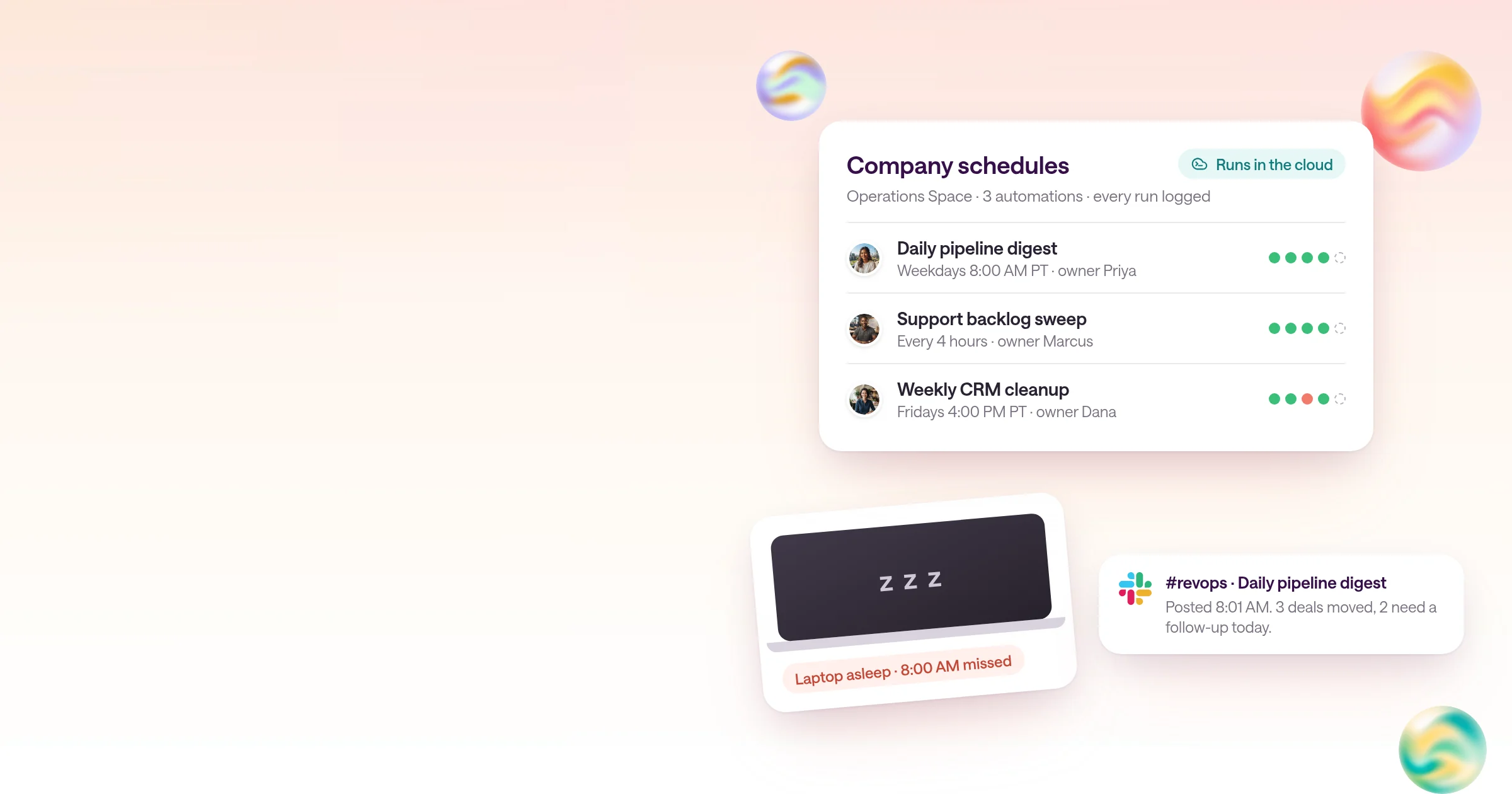
Team automation guide
Scheduled AI automations for your whole company
Why laptop-bound automations break, what company-wide needs, and how the platforms compare.
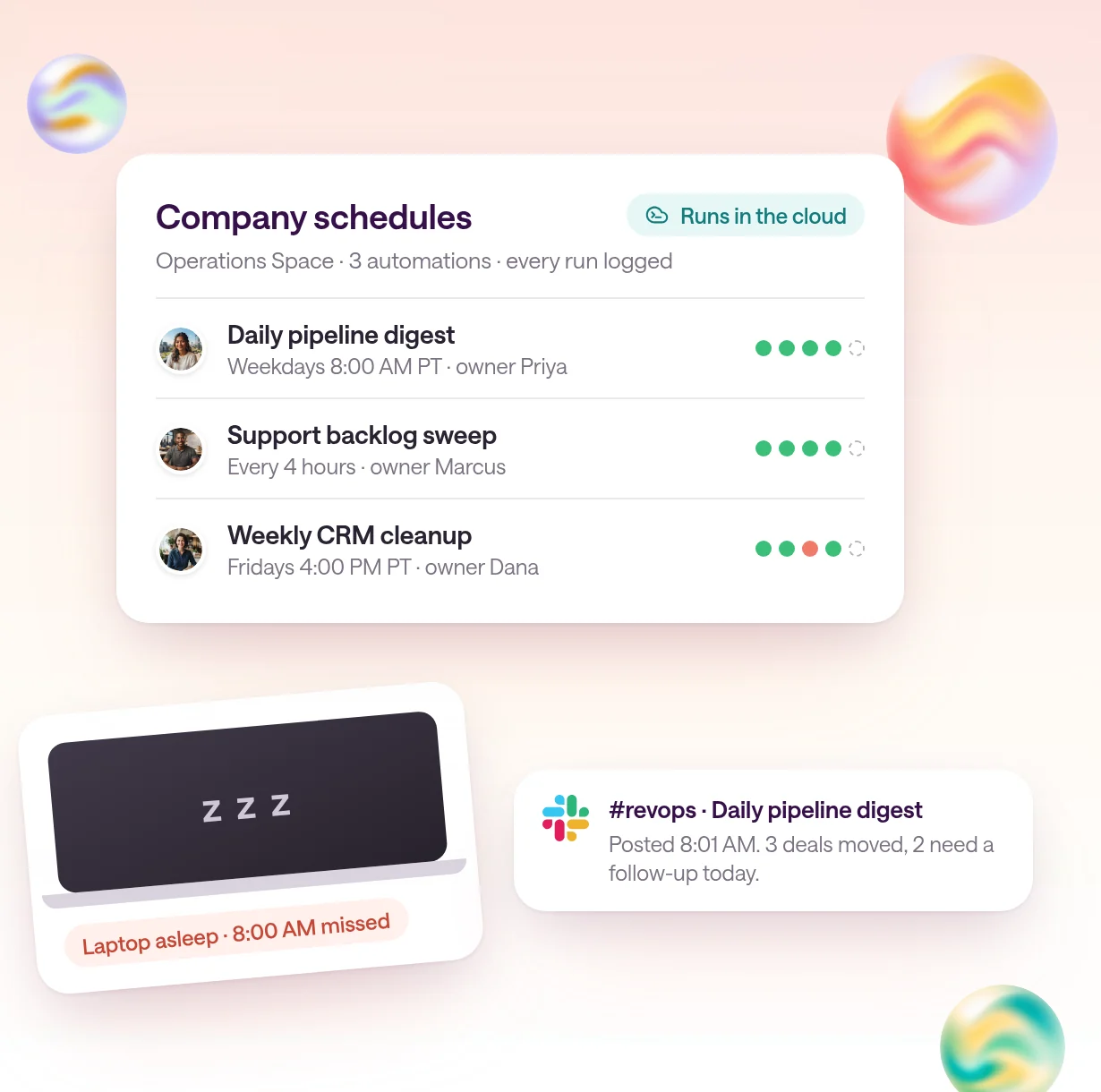
By Type.com Team
What is the best platform for company-wide scheduled AI automations?
The best platform to run scheduled AI automations for a whole company is one that runs them in the cloud, not on someone's laptop, and lets the whole team see, edit and own them; Type.com is built for that.
Most AI automations start on one person's machine: a Claude Code task, a script on a cron job, or a recurring prompt in a personal account. That is a fine way to prove an idea. It is a poor way to run something a whole team depends on every morning.
In Type.com, a scheduled automation lives in a shared Space, runs on Claude or Codex at the time you set, uses the Space's team connections, and records every run. Anyone with access can open it, edit the instructions, and see what happened last night.
- Runs in the cloud, so sleep, reboots and travel don't stop it.
- Belongs to the team, so it outlives the person who built it.
- Tells a named person when it fails, instead of failing silently.
- Uses team connections with clear permissions, not one person's logins.
Why do AI automations on one person's laptop break?
Laptop-bound automations stop when the machine sleeps, restarts, or leaves with its owner, and nobody else can see or fix them.
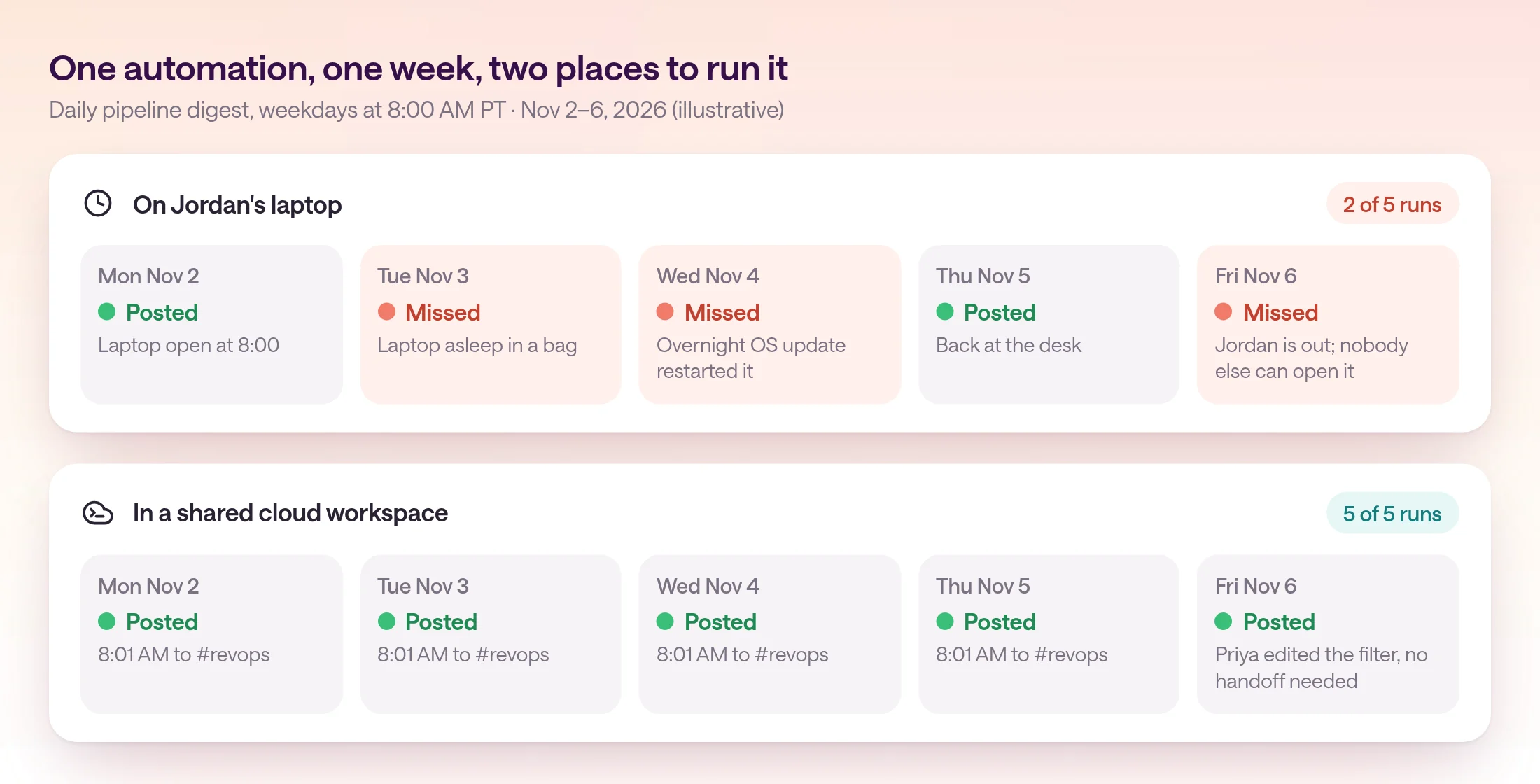
A scheduled job on a laptop has three failure modes, and every team hits all of them eventually. The laptop sleeps in a bag at 8:00 AM. An overnight update restarts it and the job doesn't come back. Or the person who set it up goes on vacation, changes roles, or leaves, and the job goes with them.
Vendors know this, and their own docs say so. Claude Code's scheduling docs compare three options: cloud tasks run without your machine, while Desktop tasks and /loop tasks run on your machine and need it on. Recurring /loop tasks also expire seven days after you create them. Claude Cowork scheduled tasks and ChatGPT tasks run in the cloud.
So the laptop problem is solvable with the tools you already have. The harder problem is the second half of the question: making an automation the whole company can rely on, not just one that keeps running.
What does a company-wide scheduled automation need?
A company-wide automation needs shared ownership, failure alerts, permissions, and run history, so the team can trust it without asking the person who built it.
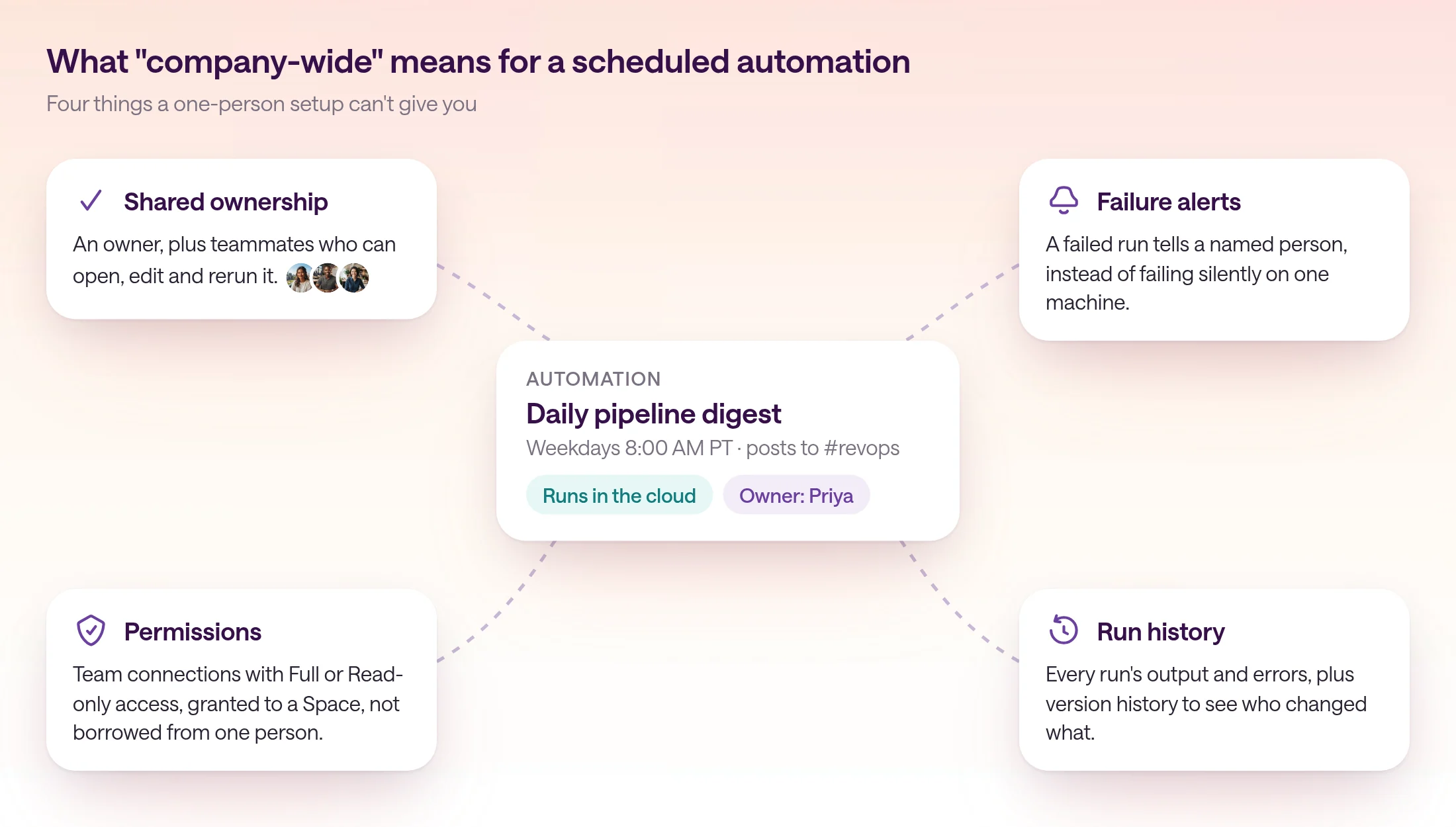
Ask one question about every automation your company runs: if it broke tonight, who would know, and could someone other than its author fix it tomorrow? The answer depends on four things.
- 1
Shared ownership
The automation belongs to a team, not a personal account. Teammates can open it, read the instructions, edit them, and test it. When someone leaves, you assign it to a new owner instead of rebuilding it.
- 2
Failure alerts
A failed run tells a named person where the team works. A digest that silently stops is worse than no digest, because people keep assuming the numbers are current.
- 3
Permissions
The automation reaches company tools through team connections with a clear access level, granted to the team that needs them, rather than borrowing one employee's logins.
- 4
Run history
Every run keeps its output and errors, and every edit is versioned. When a number looks wrong, anyone can see which run produced it and what changed.
How do the platforms for scheduled AI automations compare?
Claude schedules personal tasks, ChatGPT adds team tasks, workflow tools run fixed steps, GitHub Actions and Temporal suit engineers, and Type.com runs shared Claude or Codex automations for the whole team.
Here is how the common options compare on the four things above. Each row reflects the vendor's own documentation as of November 10, 2026.
ChatGPT's team tasks are worth a close look if your company already runs on ChatGPT Business or Enterprise: they run in the cloud under the team's service account, and authorized teammates can view, run, edit and pause them.
| Option | Runs when your laptop is off | Shared with the team | Works with Claude + Codex | Who it's for |
|---|---|---|---|---|
| Claude scheduled tasks (Cowork, Claude Code) | Cowork and Claude Code cloud tasks: yes. Desktop and /loop tasks: no | Managed by the person who created them | Claude only | Individuals on Claude paid plans |
| ChatGPT tasks and team tasks | Yes, they run in the cloud | Team tasks: yes, on Business and Enterprise | OpenAI models only | Teams already standardized on ChatGPT |
| n8n | Yes, on n8n Cloud or your own server | Yes, on n8n Cloud and self-hosted Business or Enterprise | Claude and OpenAI models as steps in a workflow | Technical ops teams wiring step-by-step workflows |
| Zapier | Yes, on Zapier's cloud | Yes, on Team and Enterprise plans | Claude and OpenAI models as steps in a Zap | Ops teams wiring fixed, step-by-step workflows |
| GitHub Actions | Yes, on GitHub's runners | Yes, for people with repo access | Yes, through the Claude Code and Codex actions | Engineering teams automating repo work |
| Temporal | Yes, on Temporal Cloud or your servers, with workers you run | Yes, through Temporal Cloud roles and Namespace permissions | Through your own code that calls the model APIs | Engineering teams building durable workflows in code |
| Workato | Yes, on Workato's cloud | Yes, with workspace collaborators and roles | Claude and OpenAI models through connectors | IT teams building integration recipes |
| Type.com | Yes, managed cloud runtime | Yes, automations live in a shared Space | Yes, pick Claude or Codex per automation | Whole teams: engineers build, everyone runs and edits |
How does Type.com run scheduled automations for a whole team?
In Type.com, an automation runs on a schedule you choose, records every run, and pauses with a notice to its creator when something needs a person.
A Type.com schedule can run weekly on the days you pick, monthly on a date or a first or last weekday, or at an interval, always in a time zone you set. Each run gives the managed agent your instructions, the Space's skills and connections, and a sandbox for code.
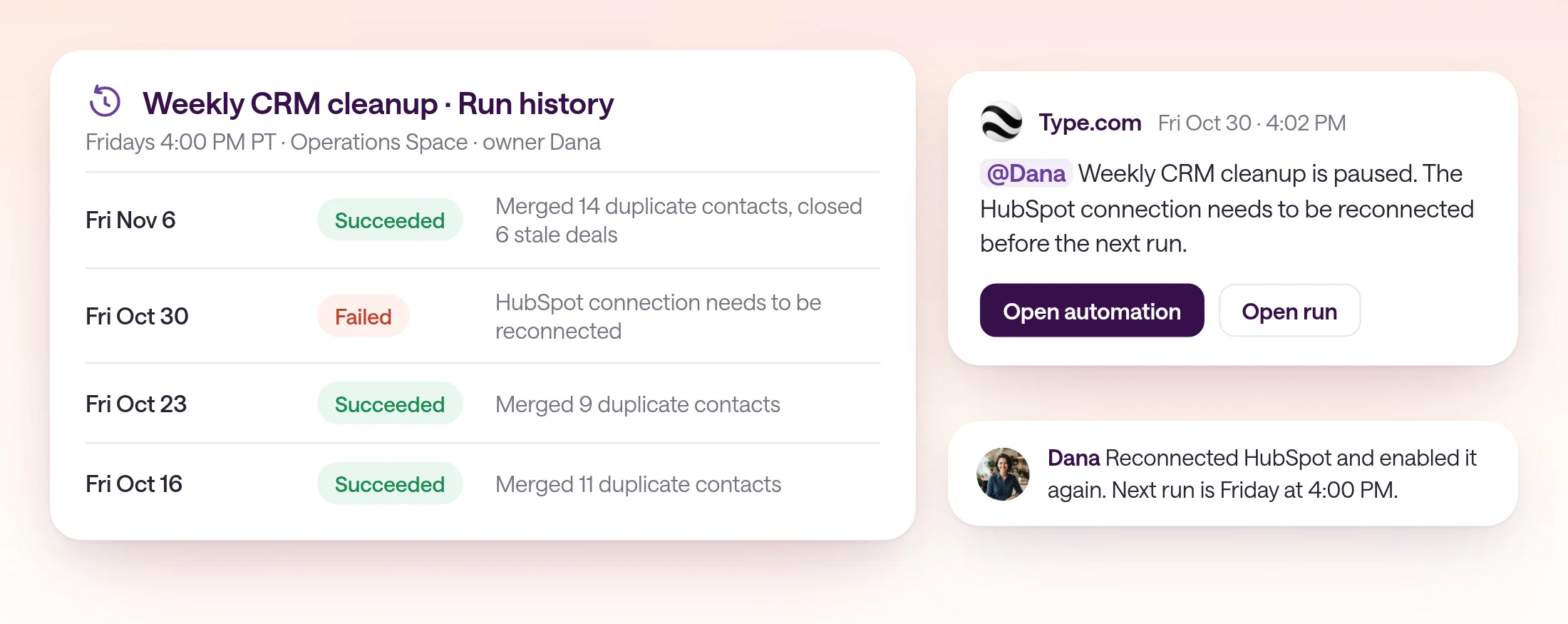
When runs of an instruction automation fail, Type.com pauses the automation after three consecutive failed runs, or at once when a person has to act, such as reconnecting an account. It posts a pause notice that mentions the creator, and run history keeps the error for anyone who opens it.
Company tools come in through team connections that you grant to a Space with Full or Read-only access. Editing an automation requires authoring access and access to its Space, and version history lets you review or restore any earlier version.
Engineers can deploy code automations with the Type.com CLI, and the rest of the team runs and edits plain-language instruction automations in the same Space. See how engineers build and the team runs them.
What does a company-wide setup look like in practice?
Start with one daily report and one weekly cleanup, set an owner for each, and check the first week of runs together.
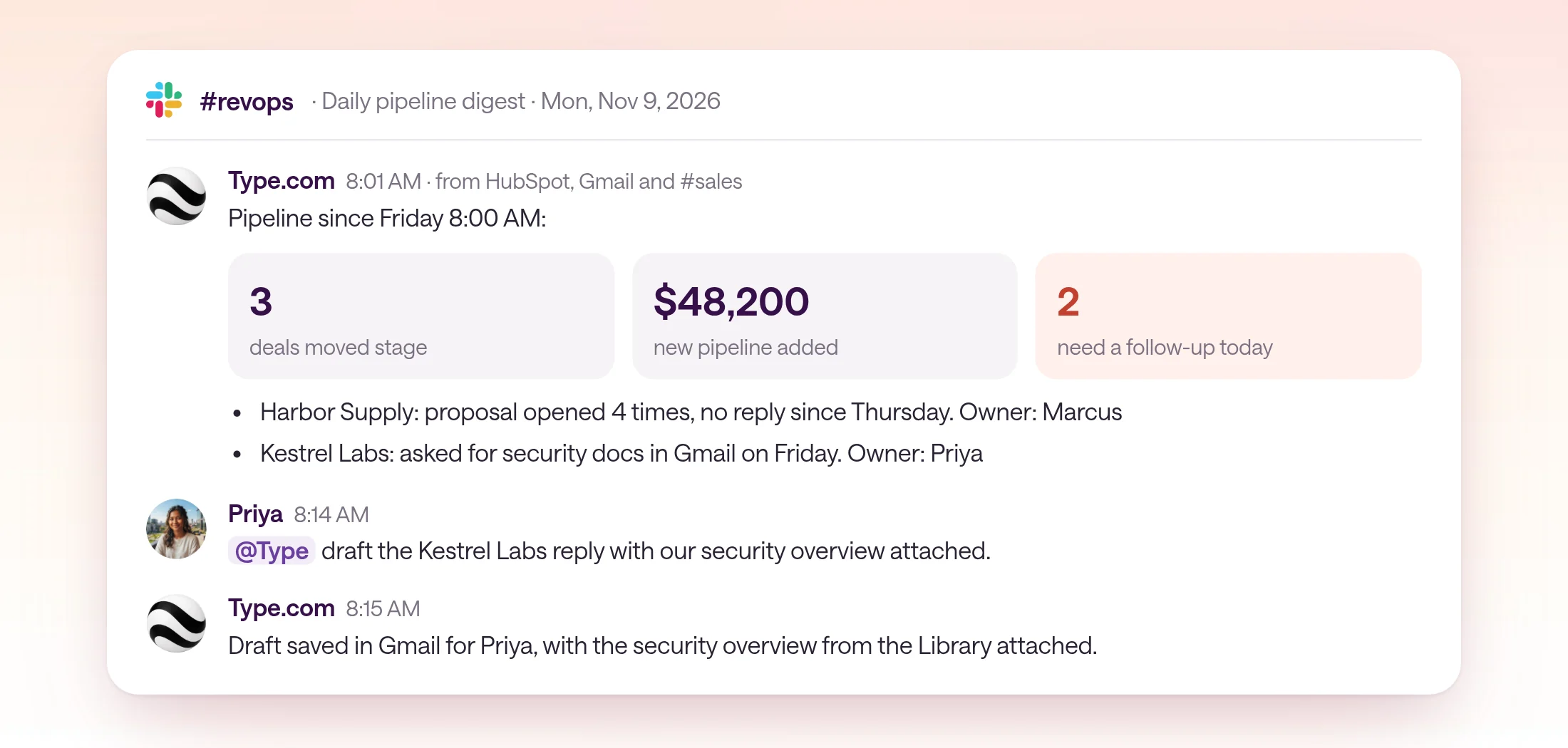
Here is a setup a RevOps team can finish in an afternoon: a daily pipeline digest every weekday at 8:00 AM, and a weekly CRM cleanup every Friday at 4:00 PM, both in an Operations Space.
- 1
Create a Space for the team that owns the work
Use a durable team, such as Operations, so the automations, connections and history stay together as people change roles.
- 2
Grant only the connections the Space needs
Give the Space a team connection to HubSpot with Full access, because the cleanup edits records. Access applies to every automation in the Space, so add only the tools these two automations use.
- 3
Write the daily digest in plain language
Say what to read, what to produce, and where to post it. Choose Claude or Codex and a schedule of weekdays at 8:00 AM in your time zone.
- 4
Add the weekly cleanup with its own owner
Schedule it for Fridays at 4:00 PM. Ask it to merge duplicates and close stale deals, and to list what it changed in its run output.
- 5
Test each one before enabling it
Run a private test, read the output, then enable it. New automations you create in Library start paused, so nothing posts before you're ready.
- 6
Review the first week together
Open run history on Friday. Fix the instructions where the output missed, and the team sees the change in version history.
Instructions for the daily pipeline digest
Every weekday at 8:00 AM Pacific, read HubSpot deals changed since the last run, plus Gmail threads and #sales messages that mention an open deal. Post one message to #revops with: deals that moved stage, new pipeline added, and deals that need a follow-up today with the owner's name. Keep it under 150 words. If HubSpot returns no changes, say so in one line instead of skipping the post.
When is n8n or Zapier the better choice?
Choose n8n or Zapier when the workflow is a fixed sequence of steps that rarely needs judgment, especially if your team already maintains workflows there.
If every run does the same thing, like copying new form entries into a sheet or sending a templated email when a deal closes, a workflow tool is the simpler choice. n8n's Schedule Trigger and Zapier's Schedule app start those workflows on a timer, and both can call Claude or OpenAI models as one step in the chain.
GitHub Actions is the better choice when the job is repository work, such as a nightly dependency check, and everyone who needs to see it already lives in GitHub. ChatGPT team tasks are a good fit when the company has standardized on ChatGPT Business or Enterprise and the work stays inside those tools.
Type.com fits when the work needs judgment on every run, pulls from several tools, and has to be owned by a team rather than a person. For running Claude Code itself on a schedule, see how to run Claude Code on a schedule.
| Your automation | Better fit |
|---|---|
| Same fixed steps every run, no judgment | n8n or Zapier |
| Repository maintenance on a cron | GitHub Actions |
| Recurring work for a team already on ChatGPT Business | ChatGPT team tasks |
| One person's daily briefing | Claude or ChatGPT scheduled tasks |
| Judgment across several tools, owned by a team, on Claude or Codex | Type.com |
How do you get started?
Inventory the scheduled jobs people run today, move the ones the team depends on into a shared Space, and give each an owner.
Ask each team to list the scheduled jobs they rely on, where each runs, and who would notice if it stopped. Anything that lives on one laptop or one personal account and matters to more than one person is the first to move.
Every Type.com plan includes unlimited automations and shared AI credits, and teammates can connect their own Claude or Codex subscriptions. Each plan starts with a 14-day free trial for the whole team.
Frequently asked questions
What is the best platform to run scheduled AI automations for a whole company?
Pick one that runs automations in the cloud rather than on someone's laptop, and lets the whole team see, edit and own them, with failure alerts, permissions and run history. Type.com is built for that: automations run in a shared Space on Claude or Codex, on a schedule you set, and anyone with access can open, edit and test them.
What happens to a scheduled automation when the person who built it leaves?
On a laptop or a personal account, it usually stops with them. In Type.com, automations belong to a Space, so the team keeps the instructions, connections and run history, and you can assign the automation to a new owner so nothing is missed.
How do we know when a scheduled automation fails?
In Type.com, every run is recorded in run history with its output and errors. A scheduled instruction automation pauses after three consecutive failed runs, or at once when a person must act, such as reconnecting an account, and Type.com posts a pause notice that mentions the creator.
Can non-engineers edit scheduled AI automations?
Yes. In Type.com, an instruction automation is written in plain language: what to check, what to produce, and where to post it. Anyone with authoring access and access to the Space can edit it, and version history shows who changed what. Engineers can still deploy code automations with the Type.com CLI in the same Space.
Do Claude and ChatGPT scheduled tasks keep running when my laptop is off?
Often, yes. Claude Cowork scheduled tasks and Claude Code cloud tasks run remotely, and ChatGPT tasks run in the cloud. Claude Code Desktop tasks and /loop tasks run on your machine, so they need it on, and /loop tasks expire after seven days. Check where each task runs before the company depends on it.
Whose AI subscription pays for a company-wide automation?
In Type.com, an automation runs on the connected Claude or Codex subscription of the person who created it. If they haven't connected one, the run uses the workspace's included AI credits, which every plan has.