For engineering teams
Engineers build AI automations. The rest of the team runs and edits them.
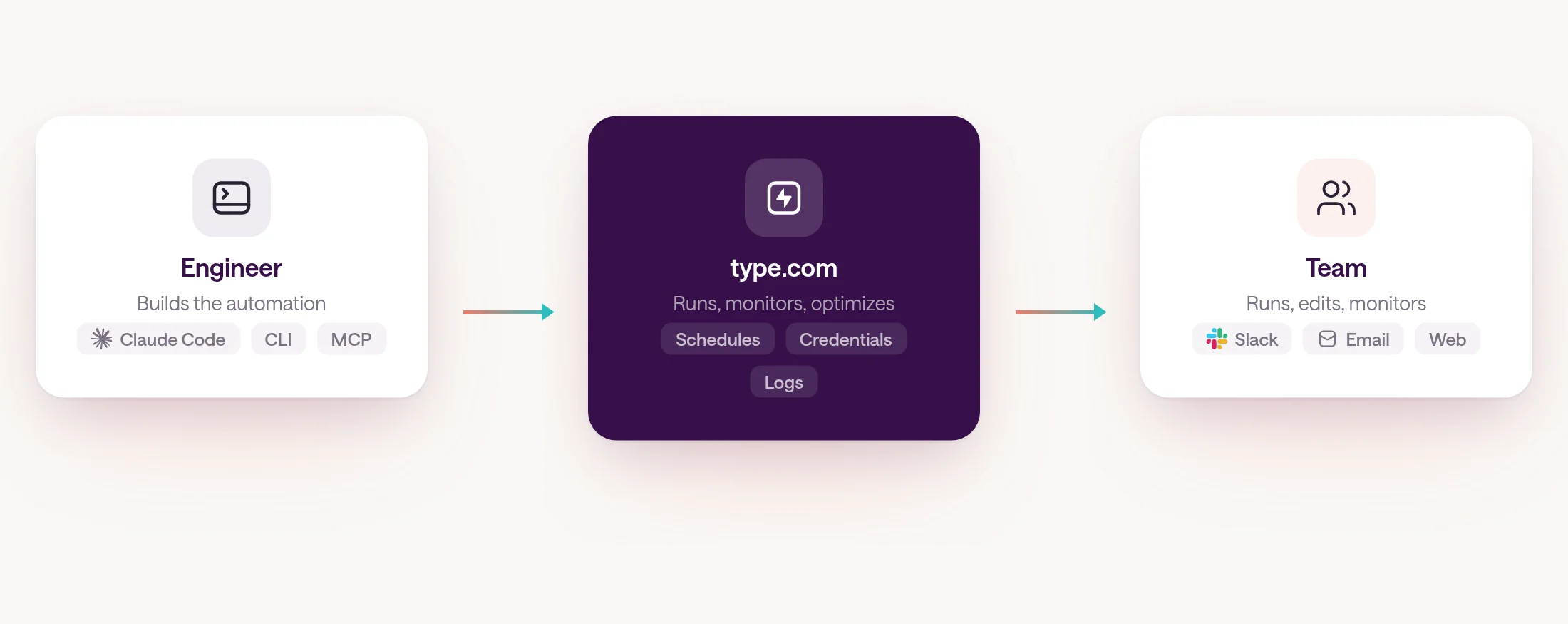
Engineers build automations with Claude Code or Codex. type.com runs them on shared connections, and the rest of the team runs, edits, and monitors each one — no terminal required.
By type.com Team
The gap: AI automations work, but only for the person who built them
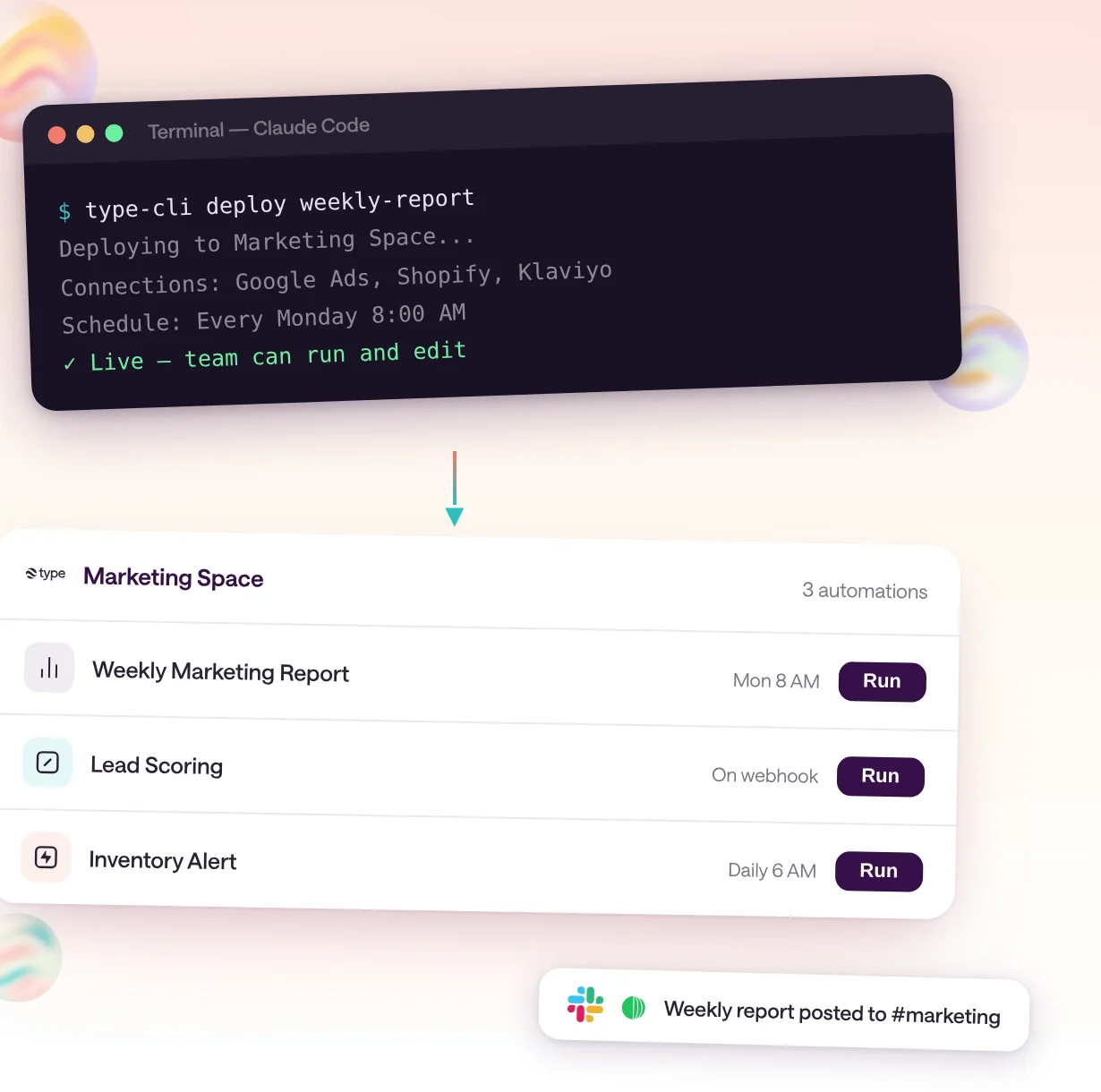
Most AI automations die in one person's terminal. An engineer builds something useful with Claude Code or Codex, it works perfectly, and then the rest of the team needs it — but it runs on one person's laptop, uses one person's API keys, and nobody else can trigger it, change it, or see what it does.
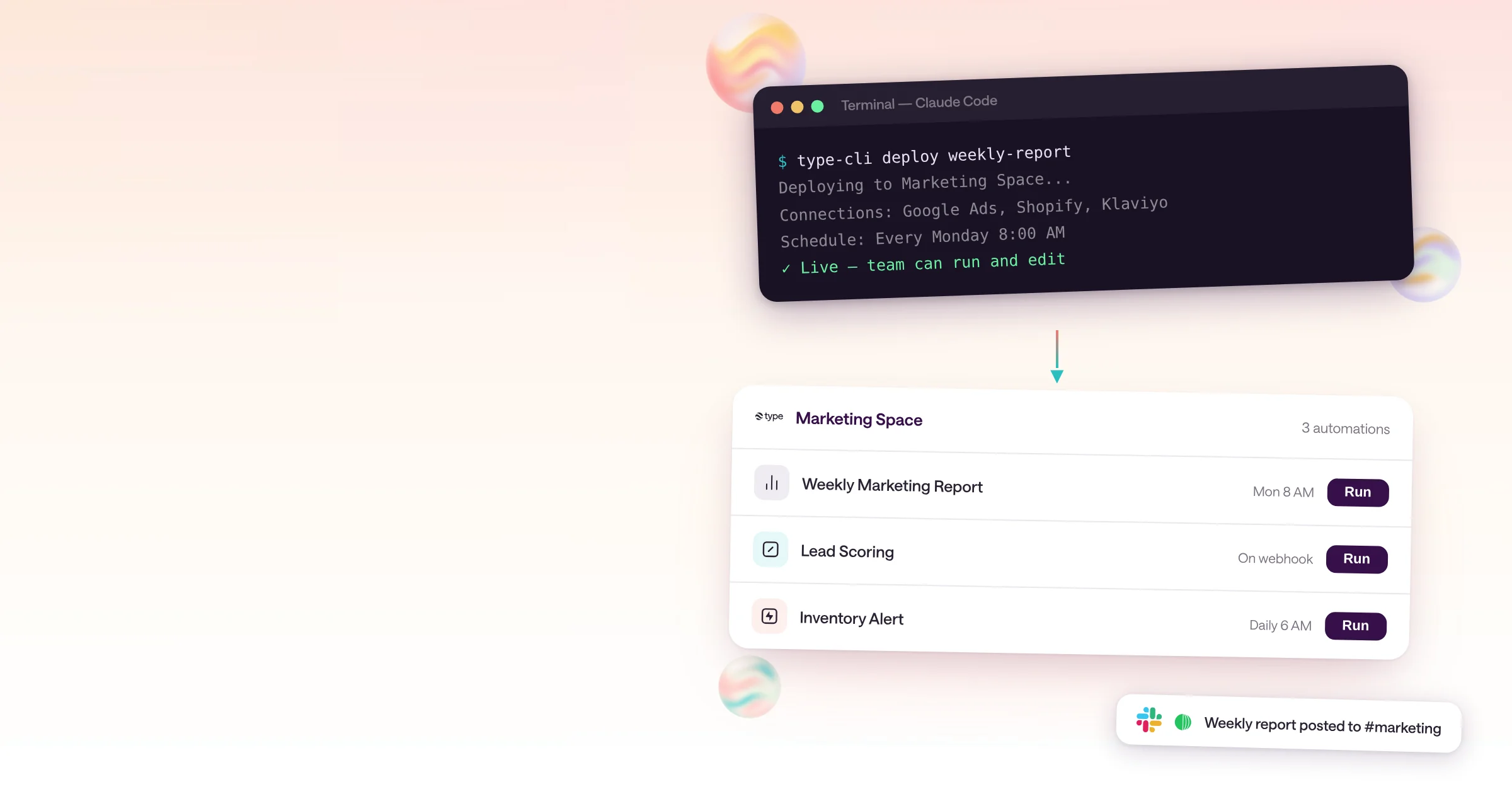
An engineer builds a weekly report with Claude Code. It pulls from Google Ads, Shopify, and Klaviyo, formats the numbers, and posts a summary. It works. Then marketing asks for it, and the problems start: it runs on the engineer's laptop, uses their personal API keys, and stops working when they close the lid.
The engineer can share the script, but now someone needs to install Claude Code, get their own API keys, learn the terminal, and hope nothing breaks. Or the engineer becomes the human cron job, running it every Monday morning for someone else's team.
This is the gap between building an AI automation and making it useful to a team. Claude Code and Codex are excellent build tools. What is missing is a place for the result to live where the rest of the team can find it, run it, and change it.
Engineers build with the tools they already use
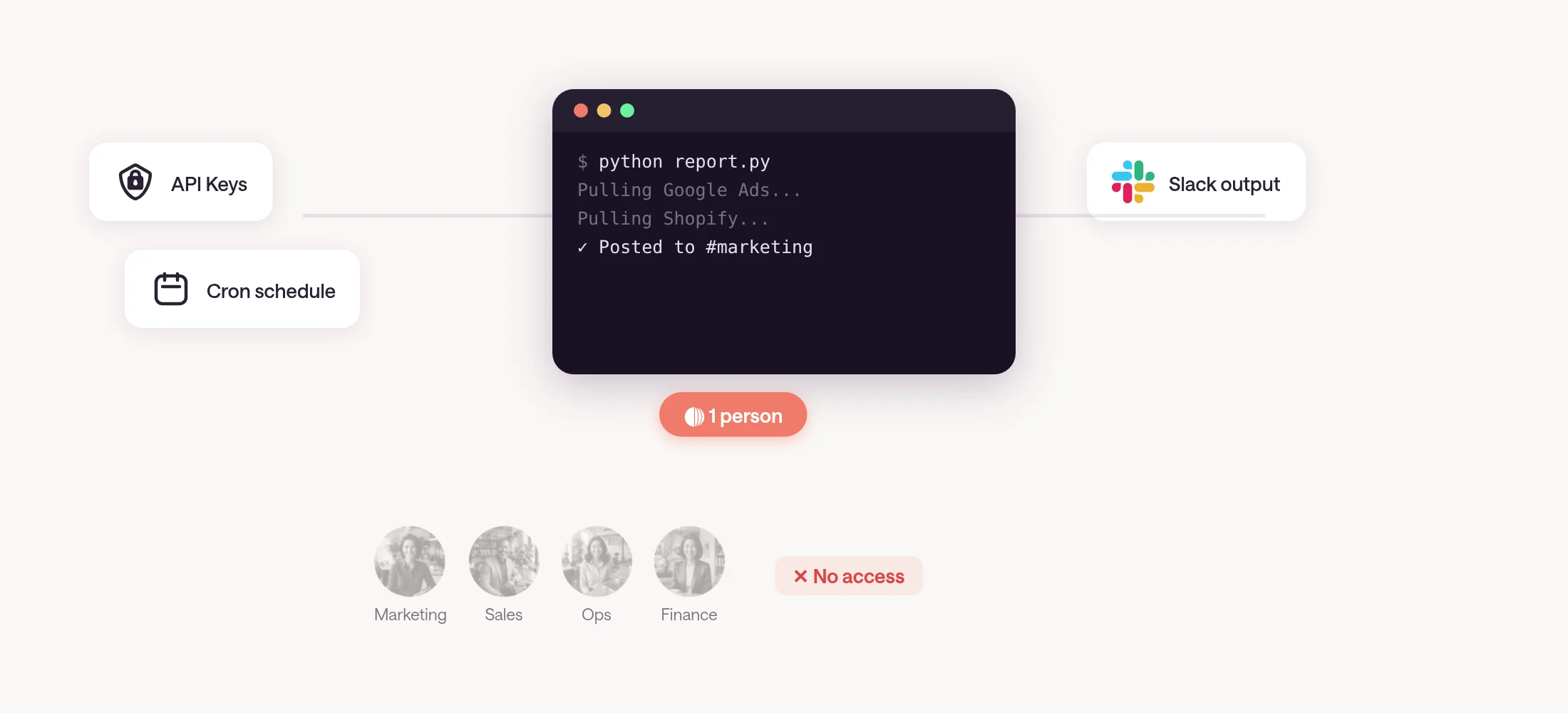
An engineer describes what the automation should do in Claude Code, the type.com CLI, or through MCP. type.com writes the code, creates the triggers, and sets up test fixtures so the automation can be verified before it touches real data.
The engineer stays in the tools they already use. Claude Code, Codex, or the type.com CLI — no new IDE, no drag-and-drop canvas, no YAML. They describe the job, and type.com writes the code, creates the triggers (a schedule, a webhook, a Slack command, or an app event), and sets up test fixtures with sample data.
The engineer reviews the code, runs the fixtures, and enables the automation. The build step looks the same whether it is a daily Shopify sales summary, a weekly Google Ads audit, or a Slack command that scores inbound leads.
type.com runs the infrastructure
Each automation runs in its own sandbox with its own credentials. type.com handles scheduling, credential injection, execution with a full Claude or Codex harness plus deterministic code, monitoring with cost tracking, and optimization as repeated steps move to code.
Once the engineer enables an automation, type.com takes over the infrastructure. Each run gets its own isolated sandbox and its own set of credentials, injected server-side so they never appear in code or in the model's context.
The runtime is a hybrid: exact steps — data pulls, calculations, API writes — execute as code, and the agent handles only the judgment calls. This gives the same result every run, fewer model calls, and no agents overwriting each other in the same sheet or CRM. When requirements change, the agent edits the automation's code itself.
Every run is logged with its inputs, outputs, cost, and duration. You can set per-automation budgets, and a schedule pauses after three consecutive failures so a broken job stops instead of repeating its mistake.
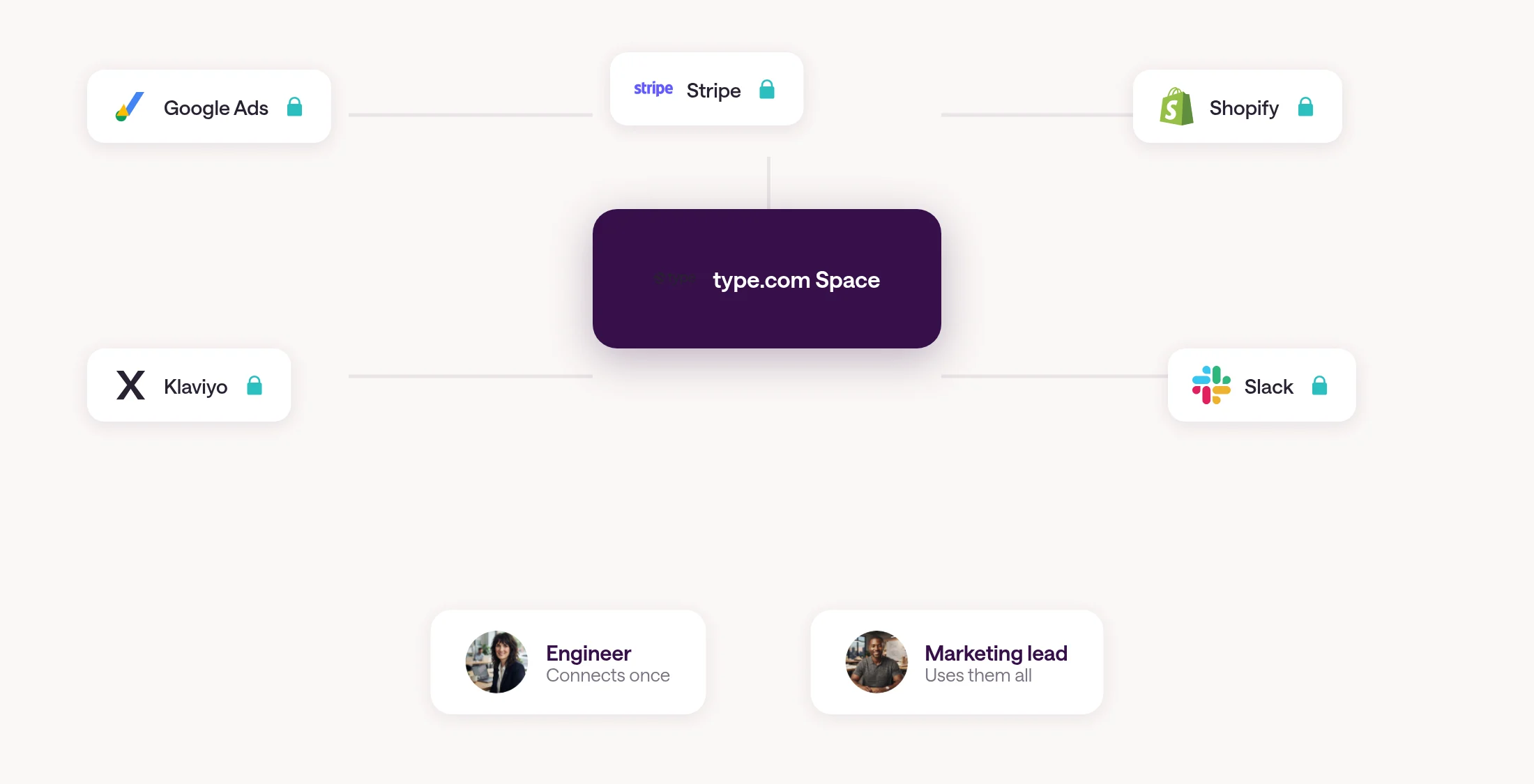
The rest of the team runs and edits
Anyone on the team can find an automation in the shared workspace, run it on demand from Slack or the type.com interface, edit it in plain language, and see every run's history and cost — all without opening a terminal.
This is where type.com solves the problem that Claude Code and every managed-agent API leave open: the rest of the team. Once an automation is live, anyone on the team can find it, run it, and change it.
A marketing lead runs the weekly report on demand to prep for a board meeting. She edits it the next week — "add a row for Meta Ads spend" — and type.com updates the code. She never opens a terminal. A VP checks the dashboard to see what every automation cost this month.
Automations run on the team's shared connections, not one person's accounts, so they keep working when someone is on vacation or leaves the company. Output lands where people already work: Slack, email, or a thread the team can open and continue.
How type.com compares (October 2026)
type.com is the only platform where engineers build with Claude Code or Codex, non-technical teammates can run and edit the result, automations use shared team connections, every run is logged with cost, the runtime mixes code and agent reasoning, and you can bring your own model subscriptions.
The table below compares the options a team has today when an engineer has built an AI automation and the rest of the team needs to use it. Details are from each vendor's published documentation as of October 2026.
| type.com | Claude Managed Agents | AWS Bedrock AgentCore | DIY (Vercel + cron) | Zapier / Make / n8n | |
|---|---|---|---|---|---|
| Engineer builds with Claude Code or Codex | Yes — CLI, MCP, or chat | Partial — Agent SDK, you write the app around it | No — bring your own framework | No — you build everything | No — drag-and-drop only |
| Non-technical teammates can run it | Yes — Slack, email, or web | No — API or console only | No — console only | No — requires deploy access | Yes — but limited to pre-built steps |
| Non-technical teammates can edit it | Yes — in plain language | No | No | No | Partial — within the canvas |
| Shared team connections | Yes — per-automation, per-account | No — per-workspace only | No — IAM, you configure it | No — you manage secrets | Partial — account-level |
| Every run logged with cost | Yes | Partial — session-level | Yes — via CloudWatch | No — you build it | Partial |
| Code + agent hybrid | Yes — exact steps run as code, agent handles judgment | No — agent only | No — you architect it | No — you build it | No — no agent |
| Multi-model | Yes — Claude, Codex, others | Claude only | Yes | Yes | N/A |
| Bring your own subscriptions | Yes | No | No | N/A | N/A |
Example: a weekly marketing report
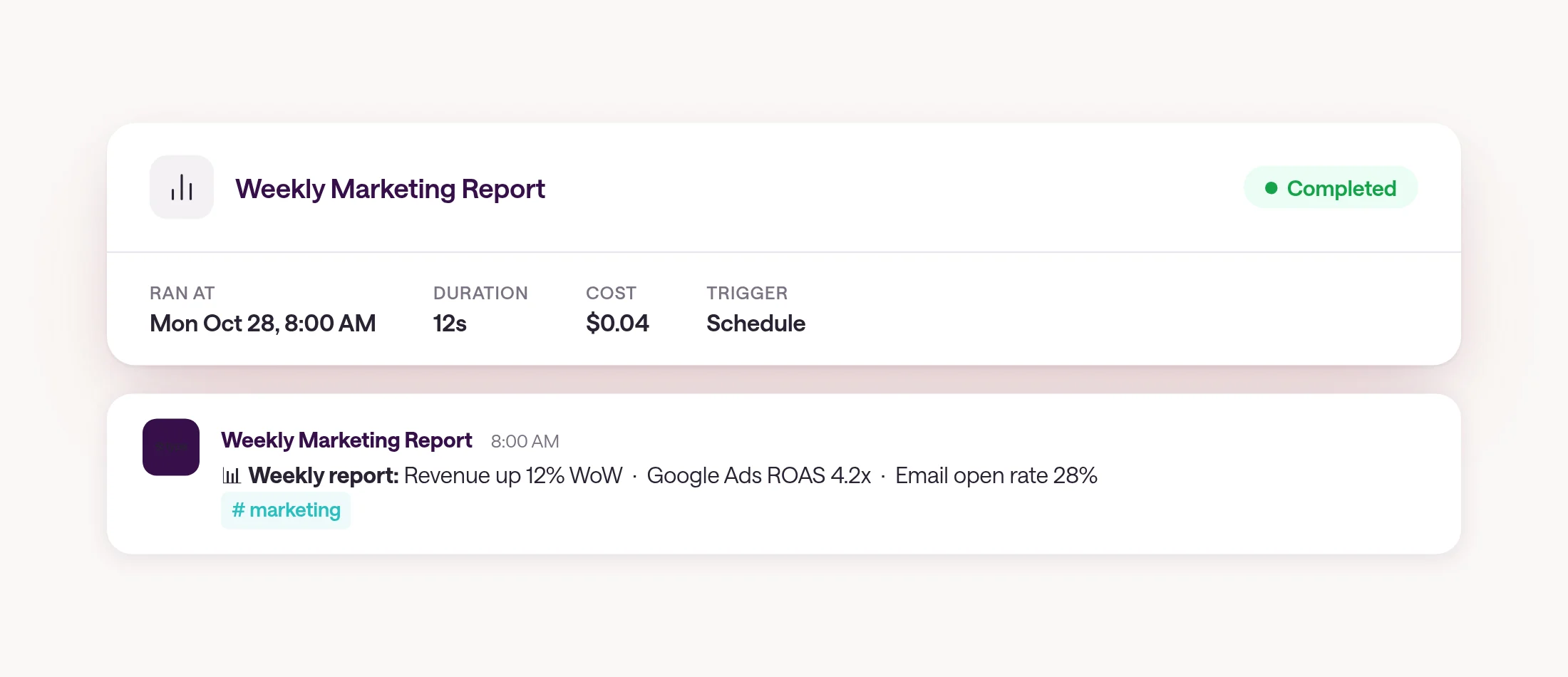
A real example: an engineer builds a weekly marketing report in Claude Code. type.com runs it every Monday, the marketing lead edits it in plain language, and the VP monitors cost — all from the same shared workspace.
An engineer opens Claude Code and types: "Build a type.com automation that every Monday at 8 AM pulls last week's Google Ads spend and conversions, Shopify revenue by channel, and Klaviyo email open rates, then writes a one-page summary with week-over-week changes and posts it to #marketing in Slack."
type.com writes the code, connects to Google Ads, Shopify, and Klaviyo through the team's shared OAuth connections, and creates a test fixture with sample data so the engineer can verify the output format before going live.
The marketing lead sees the automation in the team workspace. She runs it on Wednesday to prep for a board meeting. The next week, she edits it: "Add a row for Meta Ads spend." type.com updates the code. She never opens a terminal.
The VP sees every run in the dashboard — what it pulled, what it cost, and that it has not failed in six weeks.
When other tools are the better choice
type.com is not always the right choice. Claude Managed Agents, AWS Bedrock AgentCore, Zapier or Make or n8n, and a DIY setup each have situations where they fit better.
Claude Managed Agents: if your entire team is technical and comfortable with an API console, and you only need Claude (not Codex or other models), Claude's native managed agents are simpler to set up. You skip the team-adoption layer because your team does not need one.
AWS Bedrock AgentCore: if you need agents that scale to hundreds of thousands of concurrent sessions, need fine-grained IAM policies across AWS services, or are deep in the AWS ecosystem, AgentCore gives infrastructure-level control that a managed platform abstracts away.
Zapier, Make, or n8n: if your automations are straightforward data moves between apps — sync this CRM field to that spreadsheet — and do not require judgment, reasoning, or unstructured data, a traditional automation platform is cheaper and more predictable. You do not need an AI agent for a webhook-to-spreadsheet pipeline.
DIY on Vercel or a cron job: if you have one engineer building one automation for themselves and nobody else needs to run or change it, just ship it. The overhead of a platform is not worth it for a single-user script.
Get started
type.com is the platform where engineers build AI automations and the rest of the team runs and edits them. Start by moving one recurring job from a personal script to a shared automation.
Pick one automation that lives on someone's laptop today — the weekly report, the lead-scoring workflow, the inventory alert — and move it to type.com. The engineer builds it with Claude Code or the CLI, type.com runs it on the team's connections, and the rest of the team takes it from there.
Frequently asked questions
Is type.com an alternative to Claude Code?
No. Engineers use Claude Code, Codex, or the type.com CLI to build the automation. type.com is where it runs and where the rest of the team interacts with it. They are complementary: Claude Code is the build tool, type.com is the runtime and team layer.
Can the non-technical team break an automation by editing it?
Edits run through the same test fixtures the engineer set up. If a plain-language edit changes the automation's behavior, type.com runs the fixtures first and flags any failures before deploying the change.
What if we already pay for Claude or Codex?
type.com can use your existing Claude or Codex subscriptions. You are not paying for a second model provider.
How are credentials handled?
OAuth tokens and API keys are stored server-side and injected at runtime. They never appear in the automation's code or in the model's context. Each automation can use a different account, and permissions are set per automation and per role.
What does it cost per run?
It depends on the automation. Runs that mostly execute code — data pulls, formatting, posting to Slack — cost a few cents. Runs that require heavy model reasoning cost more. Every run shows its cost in the dashboard, and you can set per-automation budgets.
Can an engineer set everything up from Claude Code without using the type.com UI?
Yes. The CLI and MCP interface cover creation, testing, deployment, connection management, and monitoring. The UI is for the rest of the team.