Skills Library
Best AI skills for Shopify
Eleven ready-to-run skills that check your revenue, discounts, tracking, and holiday plans before anyone acts on them.
By Type.com Team
What are the best AI skills for Shopify?
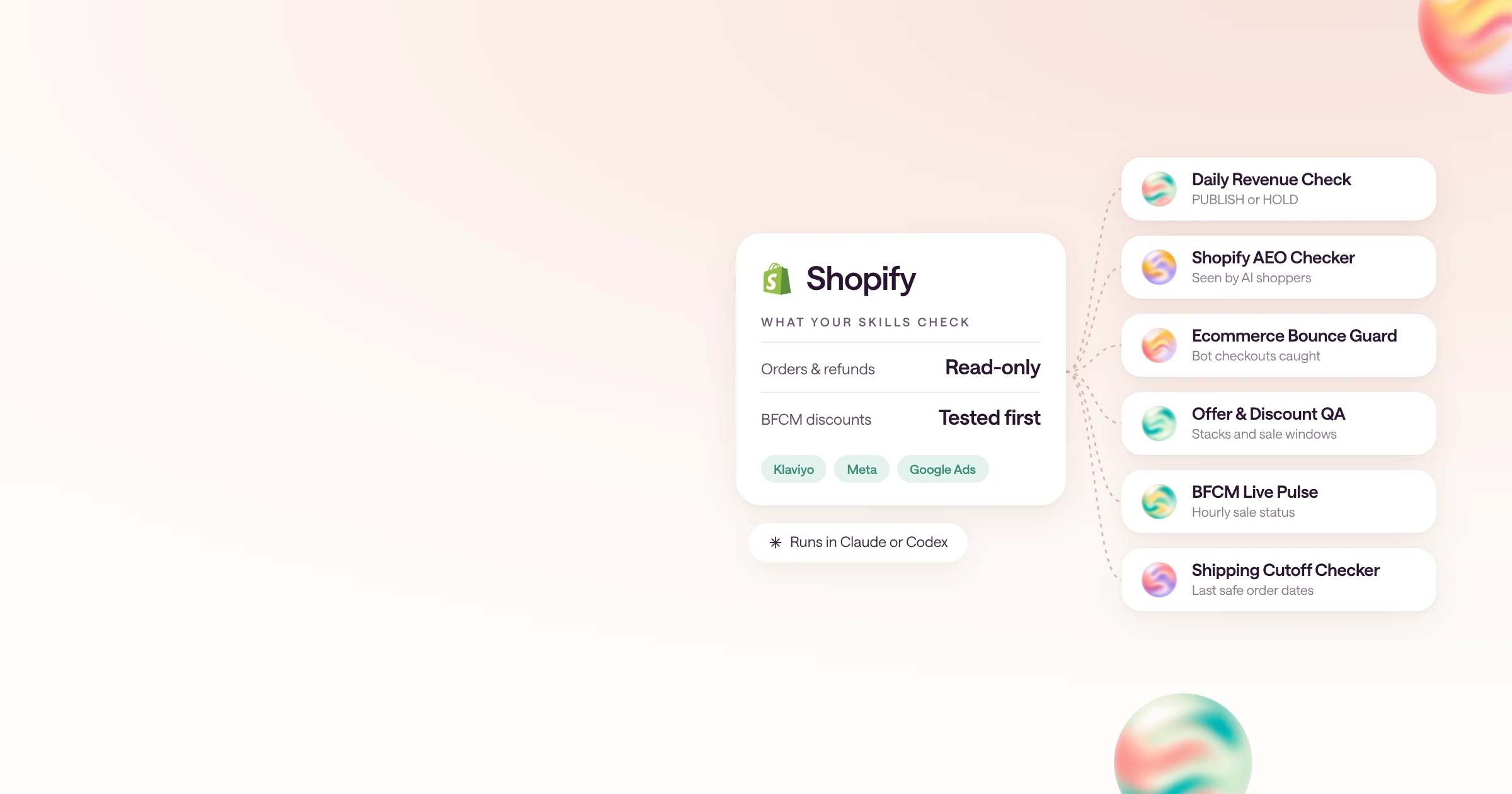
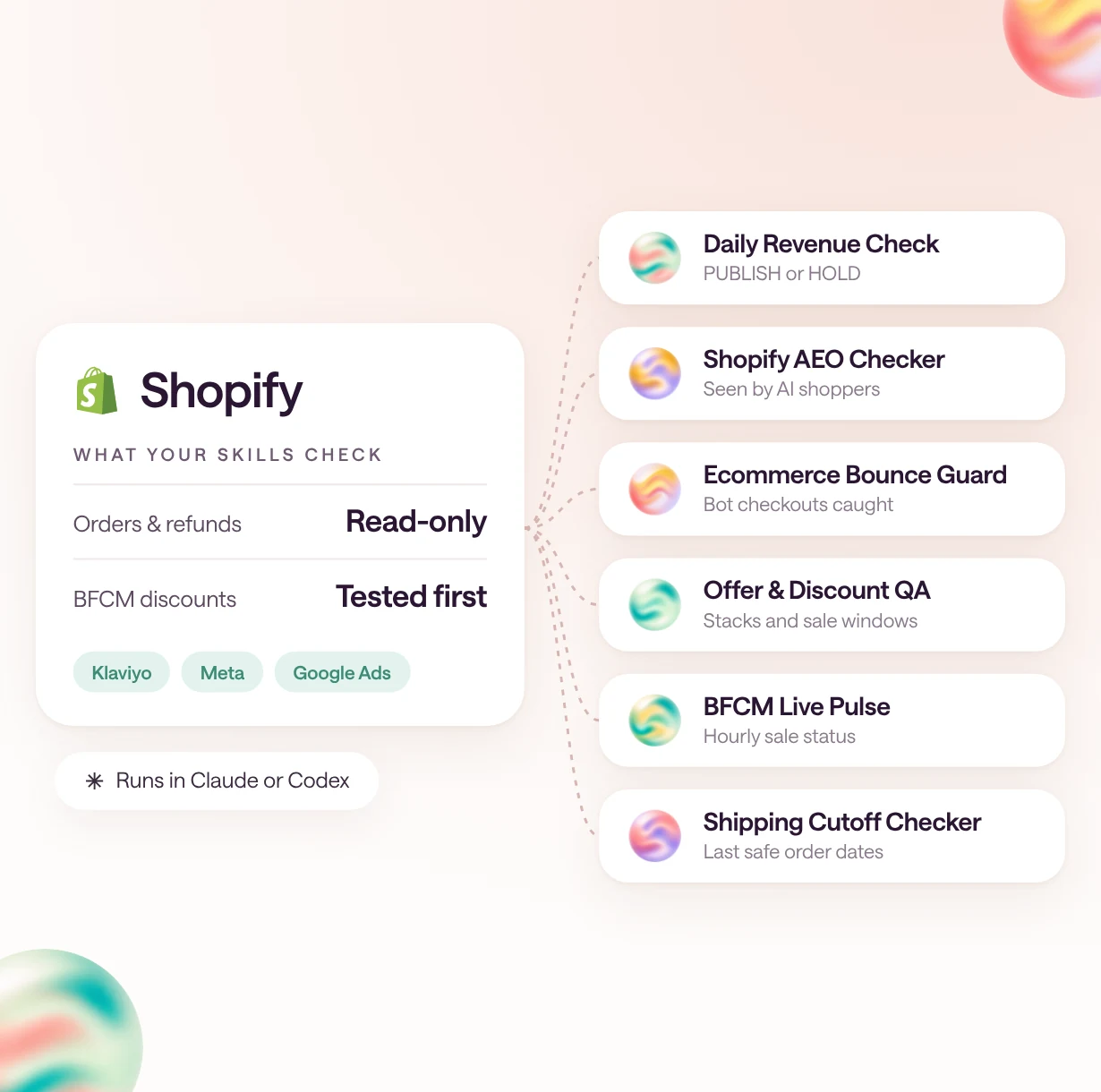
The best AI skills for Shopify are Daily Revenue Check, Revenue Reporting, Shopify AEO Checker, and Ecommerce Bounce Guard for everyday work, plus seven BFCM skills: Tracking & Attribution Preflight, Offer & Discount Config QA, Holiday Budget Planner, Live Pulse, Cohort Quality, Holiday Shipping Cutoff Checker, and Holiday Support Macros.
Shopify holds the numbers every other team argues about: orders, refunds, discounts, and customers. These skills check those numbers before anyone acts on them, from the revenue figure posted every morning to the discount stack that goes live on Black Friday.
Type.com built nine of them. Shopify AEO Checker is by Hov from The Growth Chef, and Ecommerce Bounce Guard is by Allen Walton.
Browse them in the Type.com Skills Library, or read how Shopify works in Type.com.
| Skill | Best for | What you get |
|---|---|---|
| Daily Revenue Check | Finance and ops leads, every morning before the revenue number goes out | One net-sales figure with a PUBLISH or HOLD verdict and a draft Slack message |
| Revenue Reporting | Weekly and monthly sales reporting across channels | A traceable revenue report with a gross-to-net bridge, a saved calculation, and source evidence |
| Shopify AEO Checker | Brands that want to know how AI shopping agents see their products | A visibility score, share of shelf against competitors, and a results app in Type.com that runs new searches |
| Ecommerce Bounce Guard | Brands on Klaviyo whose abandoned-cart or welcome bounces spike | The bouncing flows, the first bad day, a bots-versus-list-decay diagnosis, and the fix |
| BFCM Tracking & Attribution Preflight | Ecommerce brands, in the weeks before Black Friday | A READY, FIX BEFORE BFCM, or NOT READY verdict with a dated fix list |
| BFCM Offer & Discount Config QA | Whoever builds the BFCM discounts, before they go live | Mismatches with the plan, worst-case stacked prices, test carts with expected totals, and a dated fix list |
| BFCM Holiday Budget Planner | Planning the Black Friday and Cyber Monday ad budget | A daily, per-channel budget from Nov 1 to Dec 6 with low, base, and high projections and guardrails |
| BFCM Live Pulse | Hourly check-ins during BFCM week | A Slack-ready status update with sales pacing, blended MER, checkout alerts, code anomalies, and stock risk |
| BFCM Cohort Quality | Deciding this year's discount depth and post-purchase plan | Repeat rate, contribution, and payback for last BFCM's new customers versus October and January buyers |
| Holiday Shipping Cutoff Checker | Setting holiday shipping deadlines and delivery promises | The last safe order date per shipping service, a check of every delivery promise, and a messaging calendar |
| Holiday Support Macros | Support leads preparing the team for holiday volume | A daily ticket and staffing forecast, policy gaps, stale macros, and new holiday macros |
Which Shopify skills should an ecommerce team use?
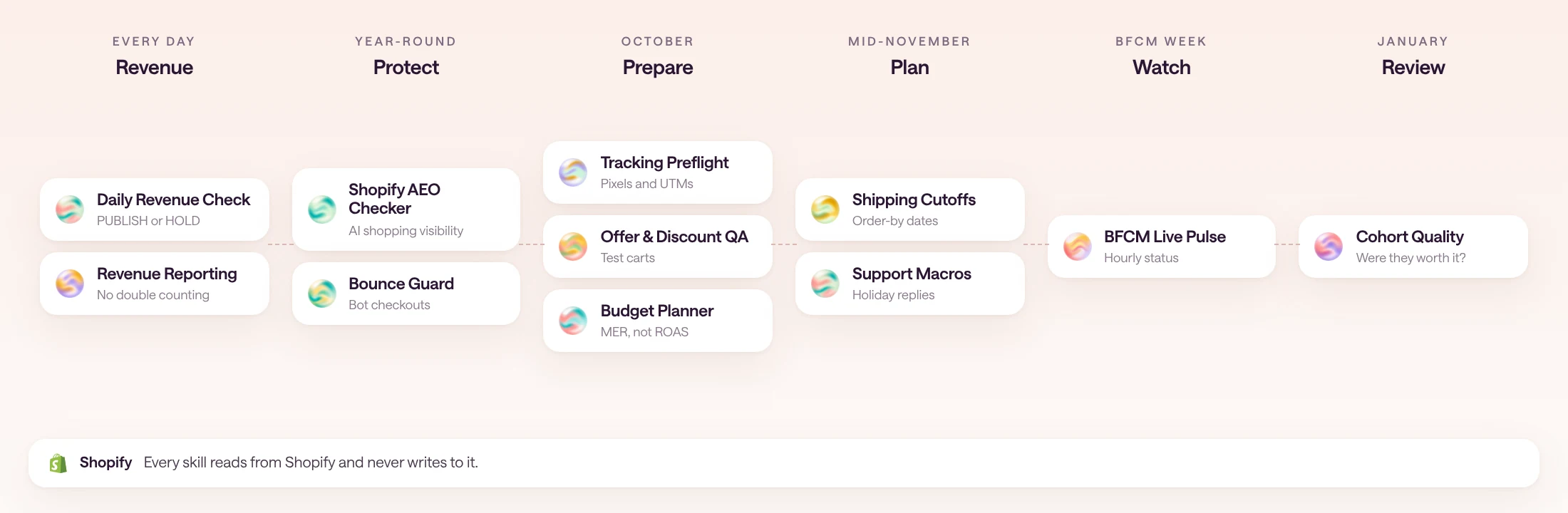
Run the four year-round skills now, and add the BFCM skills in order from October through January.
Daily Revenue Check and Revenue Reporting share the same revenue definitions, so the daily figure and the monthly report always agree. Shopify AEO Checker and Ecommerce Bounce Guard protect two channels that often go unwatched: AI shopping search and email deliverability.
The BFCM skills feed each other. The Budget Planner's daily plan is what Live Pulse paces against, and Holiday Support Macros can take its order-by dates from the Shipping Cutoff Checker.
1. Daily Revenue Check
Daily Revenue Check combines Shopify, Amazon, and wholesale into one net-sales figure, then checks freshness, completeness, duplicates, reconciliation, and late refunds before anyone posts it.
A daily revenue number that is wrong once stops being trusted. This skill uses only finance's definitions, catches a stale export or a wholesale order counted twice, and holds the number instead of publishing it when a check fails.
- Best for
- Finance and ops leads, every morning before the revenue number goes out
- Works from
- Shopify, Amazon, and wholesale exports, plus finance's approved revenue definitions
- You get
- One net-sales figure with a PUBLISH or HOLD verdict and a draft Slack message
2. Revenue Reporting
Revenue Reporting combines Shopify, Amazon, and wholesale into one traceable revenue report without counting any sale twice.
When wholesale invoices are mirrored into Shopify, the same order shows up in two places. This skill names one authoritative source for each channel, removes mirrored orders while keeping legitimate partial refunds, and logs every exclusion so finance can check the total.
- Best for
- Weekly and monthly sales reporting across channels
- Works from
- Connected sales sources or complete exports for the period, and your approved revenue rules
- You get
- A traceable revenue report with a gross-to-net bridge, a saved calculation, and source evidence
3. Shopify AEO Checker
Shopify AEO Checker shows how often a Shopify brand appears when AI shopping agents search Shopify's Global Catalog, compared with competitors, from a single product link.
AI shopping agents search across every Shopify store at once, and most brands have no idea where they rank. Built by Hov from The Growth Chef, this skill writes realistic shopper searches from your product page, shows who owns each search, and needs no API keys.
- Best for
- Brands that want to know how AI shopping agents see their products
- Works from
- One public Shopify product link
- You get
- A visibility score, share of shelf against competitors, and a results app in Type.com that runs new searches
4. Ecommerce Bounce Guard
Ecommerce Bounce Guard catches bot checkouts that are quietly bouncing your Klaviyo abandoned-cart and welcome emails, and lays out the fix before BFCM.
Fake Shopify checkouts trigger real emails to fake addresses, and the bounces damage deliverability for every email you send. Built by Allen Walton, this skill scores each flow against its own baseline and gives exact Klaviyo flow filters and Shopify bot fixes.
- Best for
- Brands on Klaviyo whose abandoned-cart or welcome bounces spike
- Works from
- Klaviyo read access or your email platform's flow reports, plus optional Shopify abandoned-checkout counts
- You get
- The bouncing flows, the first bad day, a bots-versus-list-decay diagnosis, and the fix
5. BFCM Tracking & Attribution Preflight
BFCM Tracking & Attribution Preflight checks your Meta, Google, and TikTok purchase tracking and UTMs against Shopify orders before Black Friday.
Broken deduplication or a pixel that stopped firing means every budget decision during BFCM rests on the wrong number. This skill compares each platform's purchases with Shopify, audits UTMs on real orders, and dates each fix so you get two weeks of clean data first.
- Best for
- Ecommerce brands, in the weeks before Black Friday
- Works from
- 28 days of Meta, Google Ads, and TikTok conversion data, Shopify orders, and UTMs, as CSV exports
- You get
- A READY, FIX BEFORE BFCM, or NOT READY verdict with a dated fix list
6. BFCM Offer & Discount Config QA
BFCM Offer & Discount Config QA checks your Shopify BFCM discounts against the offer plan: stacking, sale windows, eligibility, code limits, and free shipping.
One discount set to combine with another can sell items below cost on the busiest day of the year. This skill models Shopify's combination rules to find the worst-case price of every SKU, catches UTC slips in sale windows, and writes test carts that expose each bug.
- Best for
- Whoever builds the BFCM discounts, before they go live
- Works from
- Your offer plan, your Shopify discounts (read-only Admin API or copied settings), and products with unit cost
- You get
- Mismatches with the plan, worst-case stacked prices, test carts with expected totals, and a dated fix list
7. BFCM Holiday Budget Planner
BFCM Holiday Budget Planner plans your Black Friday and Cyber Monday ad budget from MER and contribution margin, not platform ROAS.
Platform ROAS overstates what BFCM spend actually returns, especially at a deep discount. This skill works out the MER you need to break even after costs and returns, shapes daily spend from last year's curve, and limits how fast budgets ramp up or down.
- Best for
- Planning the Black Friday and Cyber Monday ad budget
- Works from
- Daily Shopify sales and ad spend history, your margins and costs, your BFCM discount, and a goal
- You get
- A daily, per-channel budget from Nov 1 to Dec 6 with low, base, and high projections and guardrails
8. BFCM Live Pulse
BFCM Live Pulse turns hourly Shopify sales and ad spend into a BFCM status update with pacing, budget guardrails, and alerts.
During the sale, nobody has time to rebuild the numbers every hour. This skill paces sales against the plan, flags stalled orders and conversion drops, blocks budget calls when a channel's spend is missing, and labels every scale or pull-back line "Proposed (needs approval)".
- Best for
- Hourly check-ins during BFCM week
- Works from
- Hourly Shopify sales, cumulative ad spend, the budget plan, and optional code use and stock
- You get
- A Slack-ready status update with sales pacing, blended MER, checkout alerts, code anomalies, and stock risk
9. BFCM Cohort Quality
BFCM Cohort Quality finds out whether last Black Friday's new customers were worth it, by discount, source, and product.
BFCM brings in a lot of new customers, but deep discounts can bring in ones who never come back. This skill compares their repeat behavior and contribution with customers from other months, and recommends a discount depth and entry products for this year.
- Best for
- Deciding this year's discount depth and post-purchase plan
- Works from
- Your full Shopify order history, your unit economics, and optional ad spend by channel
- You get
- Repeat rate, contribution, and payback for last BFCM's new customers versus October and January buyers
10. Holiday Shipping Cutoff Checker
Holiday Shipping Cutoff Checker finds the last day customers can order on each shipping service and still get it by the holiday, and checks every delivery promise against it.
An undated "arrives by Christmas" line becomes a refund and a support ticket when the BFCM backlog slows the warehouse. This skill models when orders actually leave, flags risky promises on the site, at checkout, and in emails, and plans the switch to expedited shipping and e-gift cards.
- Best for
- Setting holiday shipping deadlines and delivery promises
- Works from
- Warehouse cutoff and capacity, carrier transit days and ship-by dates, and orders by zone from Shopify or ShipStation
- You get
- The last safe order date per shipping service, a check of every delivery promise, and a messaging calendar
11. Holiday Support Macros
Holiday Support Macros forecasts holiday tickets and staffing, finds policy gaps and stale macros, and drafts holiday macros built only from your written policies.
Last year's macro that still says "order by Dec 18, 2025" is a broken promise waiting to be sent. This skill catches outdated dates, codes, and guarantees, flags ticket types with no written policy, and maps placeholders for Gorgias, Zendesk, Help Scout, and Shopify Inbox.
- Best for
- Support leads preparing the team for holiday volume
- Works from
- Last season's tickets from your helpdesk, your written holiday policies, and optional current macros
- You get
- A daily ticket and staffing forecast, policy gaps, stale macros, and new holiday macros
Are these Shopify skills safe to run on a live store?
Every skill reads from Shopify and never writes to it, so you can run them on a live store at any time.
None of the eleven skills changes a product, price, discount, or setting. They report what they found, most severe first, and leave the fix to you. When a skill can't trust its input, such as a missing ad channel or a stale export, it says so and holds the verdict instead of guessing.
Most run on CSV exports with Python, nothing to install, and no API keys pasted into chat. Most also ship with a fictional sample store, so you can see the output before you connect your own data.
- No skill edits your store, discounts, budgets, or email flows.
- Verdicts like PUBLISH, HOLD, or NOT READY come with the reason.
- Most skills run on exports, with no API keys needed.
- Most skills ship with a sample store to try first.
When should a Shopify brand run the BFCM skills?
Check tracking, discounts, and budget in October, set shipping and support plans by mid-November, run Live Pulse during the sale, and review cohorts in January.
The seven BFCM skills are part of a larger Black Friday set. Read the full BFCM skills playbook for the complete timeline, or install them together as the BFCM Skills skillset.
- 1
October: check tracking, discounts, and budget
Run BFCM Tracking & Attribution Preflight and BFCM Offer & Discount Config QA, fix what they find while there is still time to collect clean data, and build the daily ad budget with the Holiday Budget Planner.
- 2
By mid-November: plan shipping and support
Set order-by dates with the Holiday Shipping Cutoff Checker, then build and publish holiday macros with Holiday Support Macros before the rush.
- 3
BFCM week: watch the sale
Run BFCM Live Pulse every hour through Cyber Monday and review each proposed budget change before acting on it.
- 4
January: review the new customers
Run BFCM Cohort Quality for an early read on this year's new customers, and carry what you learn into next year's plan.
How do ecommerce teams run Shopify skills in Type.com?
In Type.com, an ecommerce team connects Shopify to a shared Space, installs the skills once, and runs them from chat or on a schedule.
Install the skills from the library into your ecommerce Space, and finance, marketing, and support all work from the same checks. Schedule Daily Revenue Check for every morning, and let Live Pulse post its draft to your BFCM channel each hour for someone to review.
See how Shopify connects to Type.com, or browse every skill in the Type.com Skills Library.
Frequently asked questions
What is an AI skill for Shopify?
An AI skill is a packaged set of instructions, sometimes with scripts and reference files, that Claude or Codex follows the same way every time. A Shopify skill works from your Shopify orders, discounts, or catalog, usually through an export, and turns them into a check, a report, or a plan.
Will these skills change my Shopify store?
No. All eleven are read-only. They never change a product, price, discount, budget, or store setting, and Daily Revenue Check and BFCM Live Pulse draft their Slack updates without posting them. Any change they recommend is yours to make.
Do I need to give these skills API access to my store?
Most of them, no. The BFCM skills, Holiday Shipping Cutoff Checker, and Holiday Support Macros run on CSV exports with Python 3.8 or newer and need no API keys. Shopify AEO Checker only needs a public product link. BFCM Offer & Discount Config QA can read discounts through the Shopify Admin API with read-only access, or work from settings you copy in.
Which skills are only for BFCM?
The seasonal skills are built for Black Friday and Cyber Monday: Tracking & Attribution Preflight, Offer & Discount Config QA, Budget Planner, Live Pulse, Cohort Quality, Shipping Cutoff Checker, and Support Macros. Daily Revenue Check, Revenue Reporting, Shopify AEO Checker, and Ecommerce Bounce Guard are useful all year.
Which other tools do these skills use?
Shopify data for all eleven; Ecommerce Bounce Guard uses it as an optional check alongside Klaviyo. Revenue Reporting and Daily Revenue Check also combine Amazon and wholesale. Ecommerce Bounce Guard reads Klaviyo, Holiday Support Macros reads your helpdesk export, and the BFCM marketing skills use Meta, Google Ads, and TikTok spend.
Do these skills work outside Type.com?
Yes. They are plain SKILL.md folders, so they run in Claude Code, Codex, and other agents that read SKILL.md, as long as the agent can read your exports and run Python.