Slack agent guide
Get an AI agent to do tasks when tagged in Slack
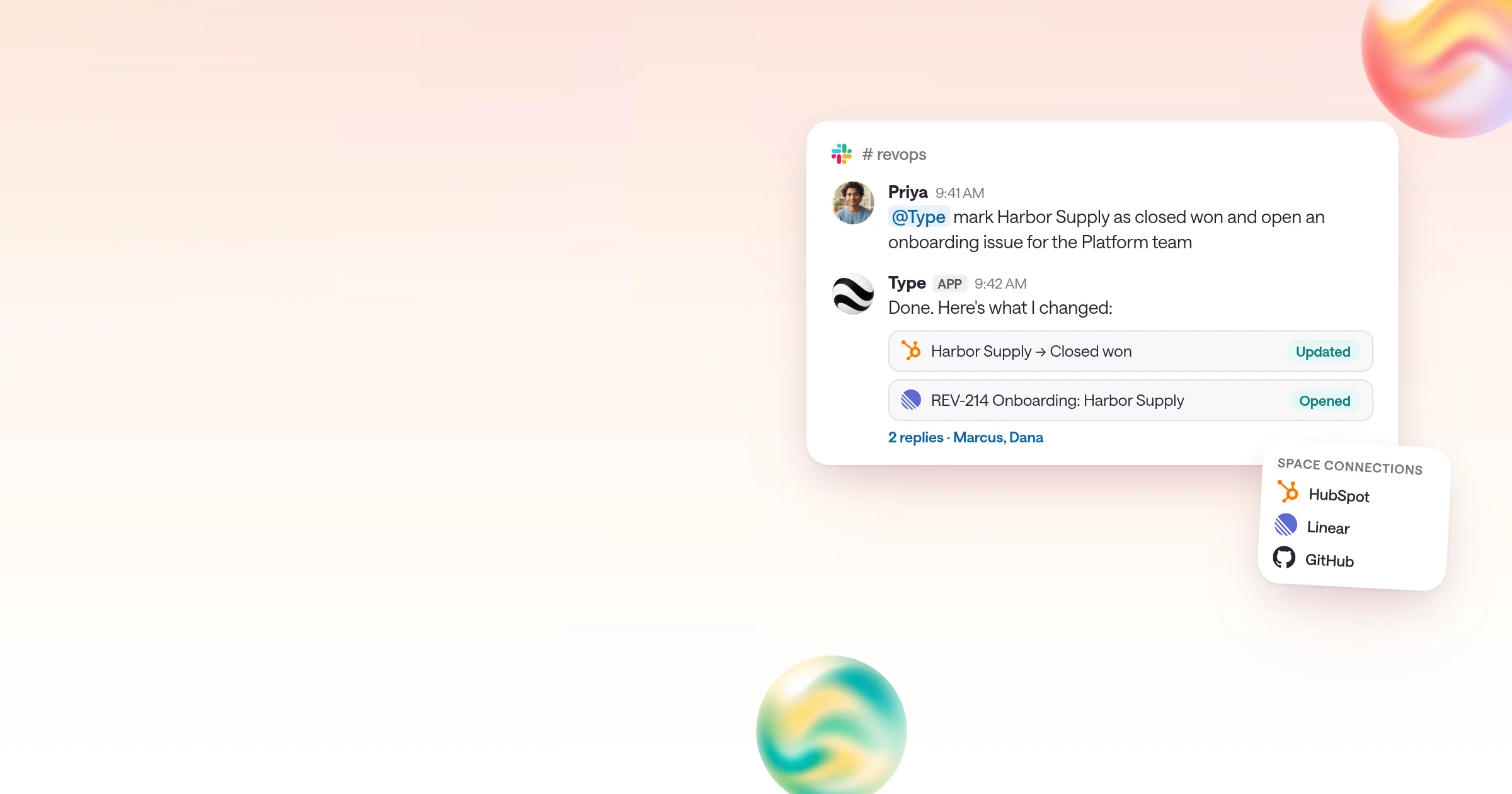
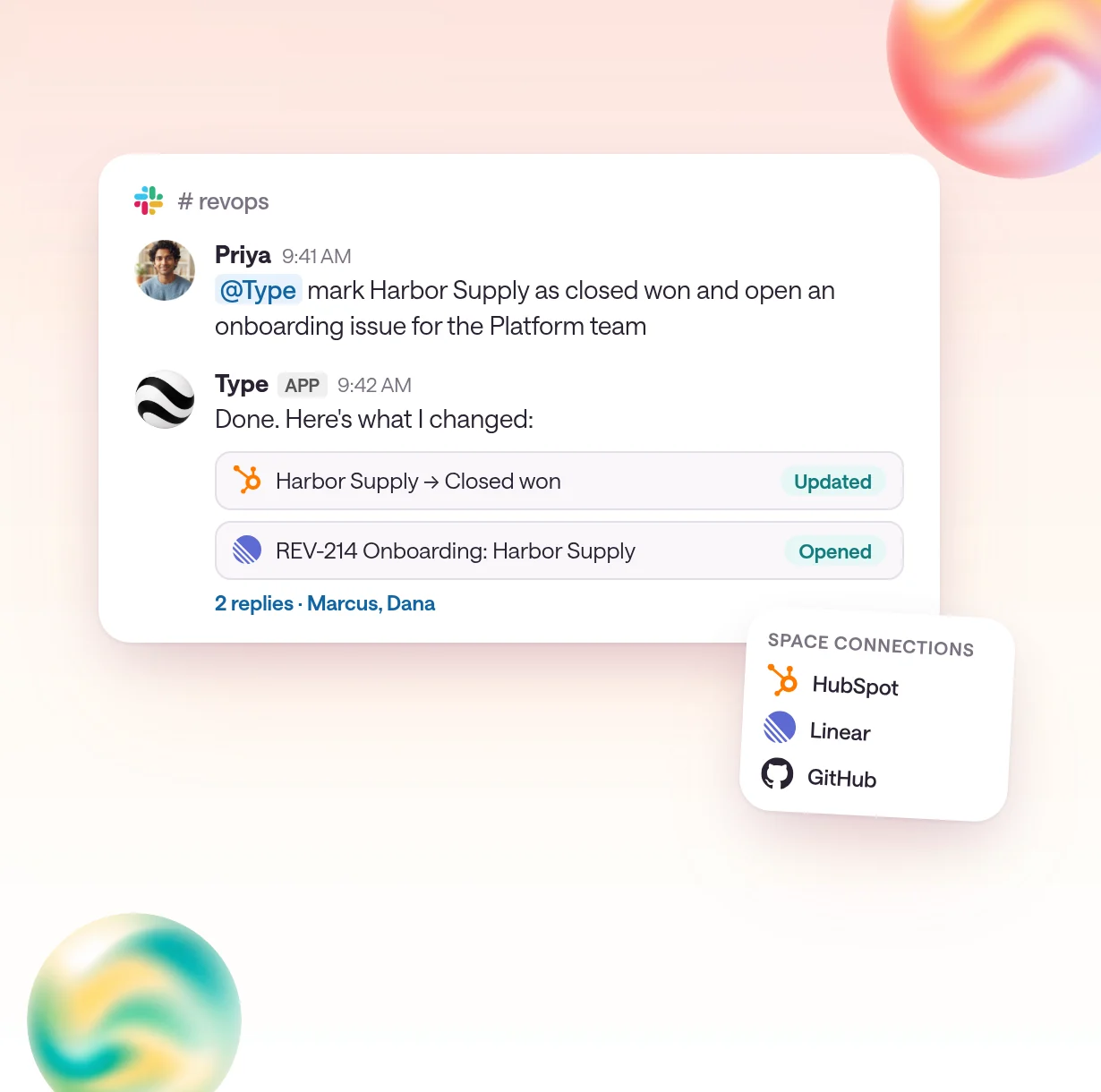
Tag @Type in a channel, and a Type.com agent does the work in your team's tools and replies in the thread.
By Type.com Team
How do you get an AI agent to do a task when someone tags it in Slack?
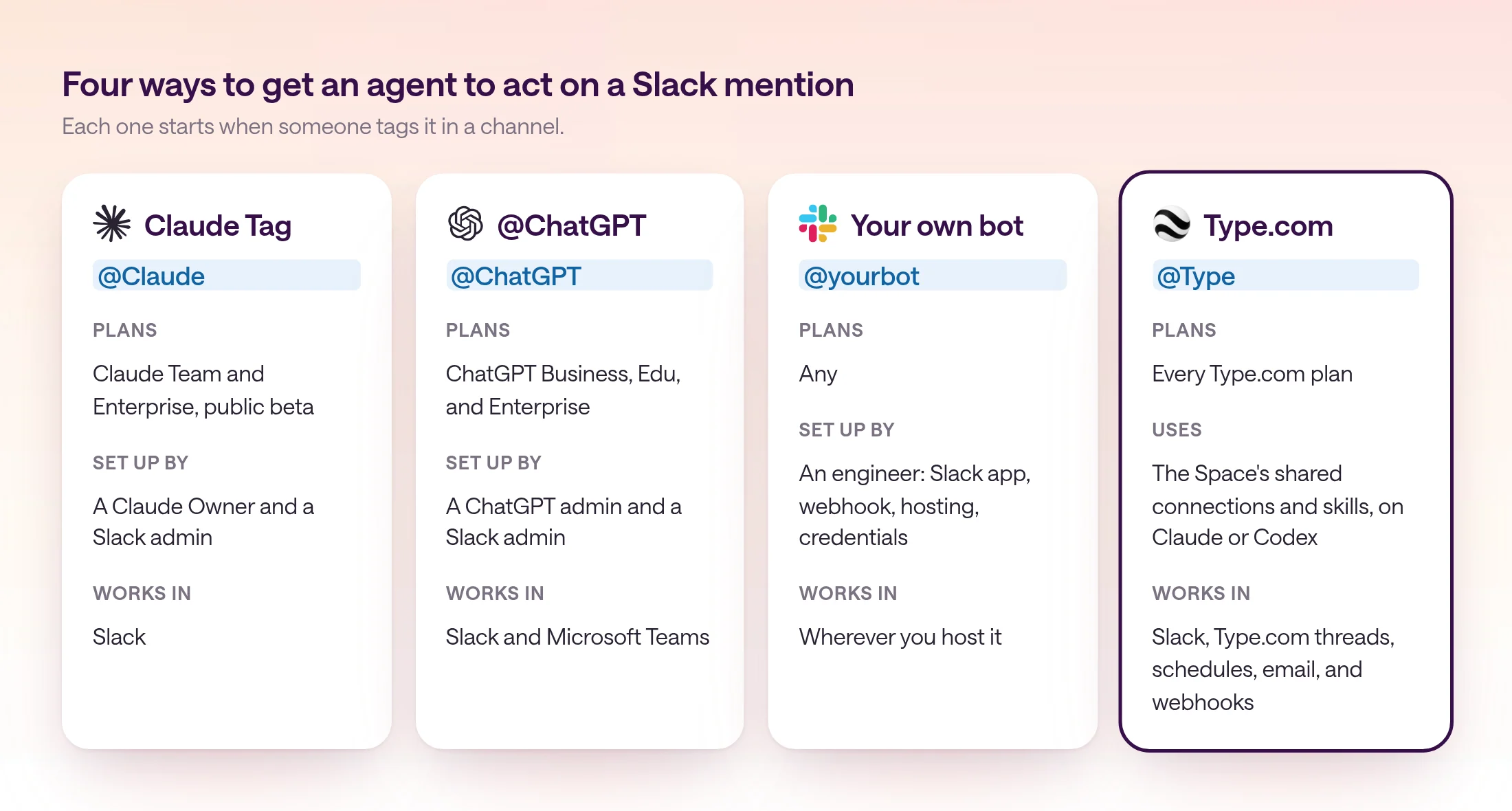
Add an AI agent app to Slack, invite it to the channel, and have people @mention it with the task: Anthropic's Claude Tag (@Claude) and OpenAI's @ChatGPT do this on Team, Business, and Enterprise plans, and Type.com does it for any team, with a managed Claude or Codex agent that uses your Space's shared connections and skills, acts in your other tools, and replies in the thread.
Claude Code and other assistants usually point to Claude Tag, Anthropic's Slack agent. It is in public beta on Claude Team and Enterprise plans. A Claude Owner pairs the Slack workspace, sets a spend limit, connects tools, and adds Claude to channels. After that, anyone in the workspace can tag @Claude by default, and it works in a sandbox that is discarded when the conversation goes idle.
OpenAI's @ChatGPT works the same way on ChatGPT Business, Edu, and Enterprise, in Slack and Microsoft Teams. A ChatGPT admin sets its instructions and company connections, and a Slack admin approves the app. It doesn't inherit your own access to files, apps, or private channels.
You can also build your own: a Slack app that receives the mention, calls a model or a headless coding agent, and posts the result back. It does exactly what you code, and an engineer maintains the app, the hosting, and the credentials.
Type.com is the option built for a whole team's work. Connect a Slack channel to a Type.com Space, and @Type answers with the same shared connections, skills, and memory the team uses in Type.com, on Claude or Codex. The same Space can run that work on a schedule, from email, or from a webhook.
| Option | Plans | What it can act on | Shared instructions and skills | Where it works |
|---|---|---|---|---|
| Claude Tag (@Claude) | Claude Team and Enterprise, public beta | Tools an admin connects, and repositories granted to the Claude GitHub App | Admins set skills and plugins for all of Slack, one workspace, or one channel | Slack |
| @ChatGPT | ChatGPT Business, Edu, and Enterprise | Company tools the admin connects, plus apps a person approves | Instructions an admin sets | Slack and Microsoft Teams |
| Your own bot | Any | Whatever you code | Whatever you build | Wherever you host it |
| Type.com (@Type) | Every Type.com plan, from $50 a month for two members | The Space's shared connections, such as HubSpot, Linear, and GitHub | The Space's Library of skills, which the team keeps up to date | Slack, Type.com threads, schedules, email, and webhooks |
What does a team agent add to a Slack mention?
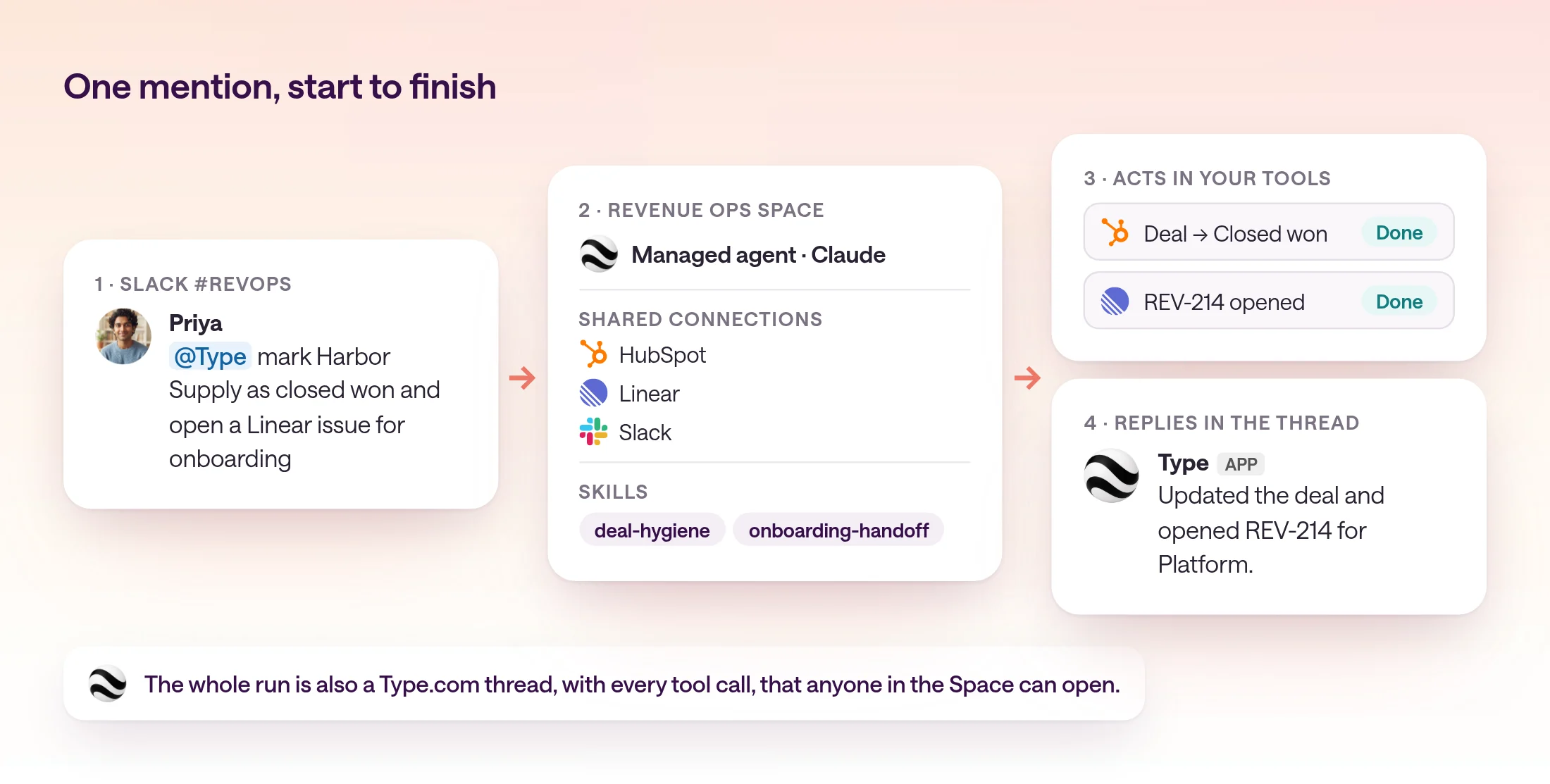
A team agent turns a Slack mention into finished work: it acts in the team's tools with shared credentials, follows the team's skills, keeps the whole run in a thread anyone can open, and can do the same work on a schedule.
Chat assistants in Slack are good at answering. Teams usually tag an agent because they want something done: a record updated, an issue filed, a report pulled. That takes connected tools, credentials the whole team can use, and rules everyone agrees on.
In Type.com, those live in a Space. Connections are added once and shared by the Space, so a mention from anyone in the channel can update HubSpot or open a Linear issue without anyone pasting a token. Skills in the Space's Library hold the team's rules, such as how a deal handoff should look, and the agent follows them on every mention. Each person's request runs with their own effective permissions.
Every mention is also a thread in Type.com, with the tool calls the agent made. Teammates can follow up in the Slack thread without tagging @Type again, stop a response with a 🛑 reaction, and pick the same work up later in Type.com. When the same request comes in every Monday, the Space can run it as a scheduled automation that posts to the channel.
- Acts in your tools: HubSpot, Linear, GitHub, and the rest of the Space's connections, with shared credentials.
- Follows your team's skills: the same rules for every person who tags it.
- Runs on Claude or Codex: pick the model per Space.
- Leaves a record: every mention is a thread anyone in the Space can open.
- Repeats on its own: turn a request people make every week into a scheduled automation.
What tasks do teams tag an agent for in Slack?
Teams tag an agent for small, concrete jobs that touch another tool: update a record, file an issue, pull a number, summarize a thread, or check a status.
The best first tasks are ones people already ask a teammate for in Slack. They have a clear finish line and touch one or two tools.
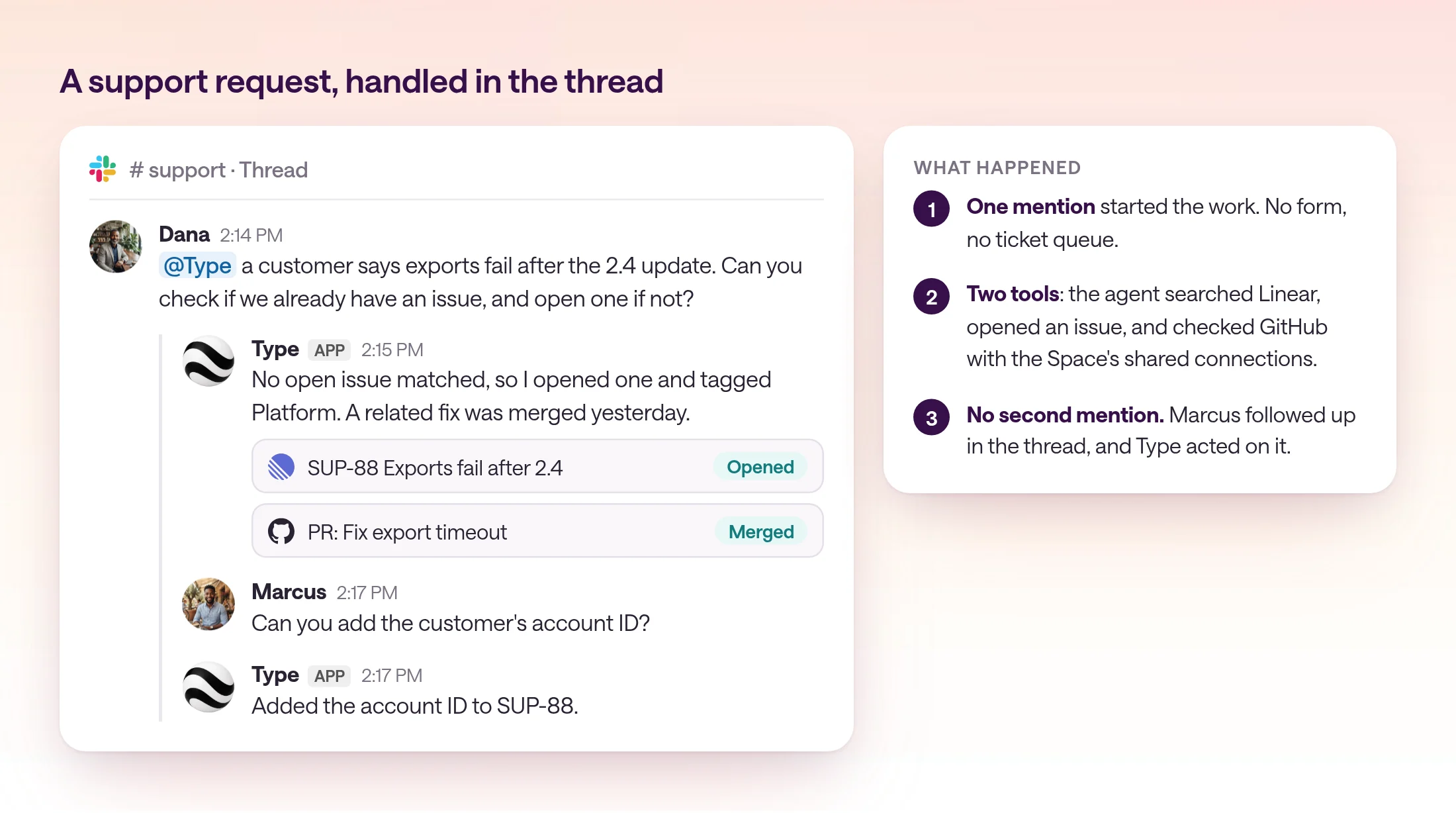
- 1
Triage a bug report into Linear
"@Type check if we already have an issue for this and open one if not." The agent searches existing issues, files a new one with the reporter's steps, and links it in the thread.
- 2
Update a CRM record from the conversation
"@Type mark Harbor Supply as closed won and note the start date." The agent updates the deal in HubSpot and replies with what changed.
- 3
Pull a number on demand
"@Type how much new pipeline did we add this week, by rep?" The agent reads the CRM and posts a short table in the thread.
- 4
Turn a long thread into a doc
"@Type summarize this thread into a decision doc." The agent writes the summary, lists open questions, and saves the doc to the Space Library.
- 5
Check a status
"@Type did the fix for the export bug ship?" The agent checks the GitHub pull request and deploy, and answers with links.
How do you set up an agent that responds to Slack mentions?
Connect Slack to Type.com, connect the Slack channel to a Space with the @mentions reply mode, and write short channel instructions. Then test it with one real request.
The full reference is in Slack in the Type.com docs. Setup takes a few minutes, and the agent then works for everyone in the channel.
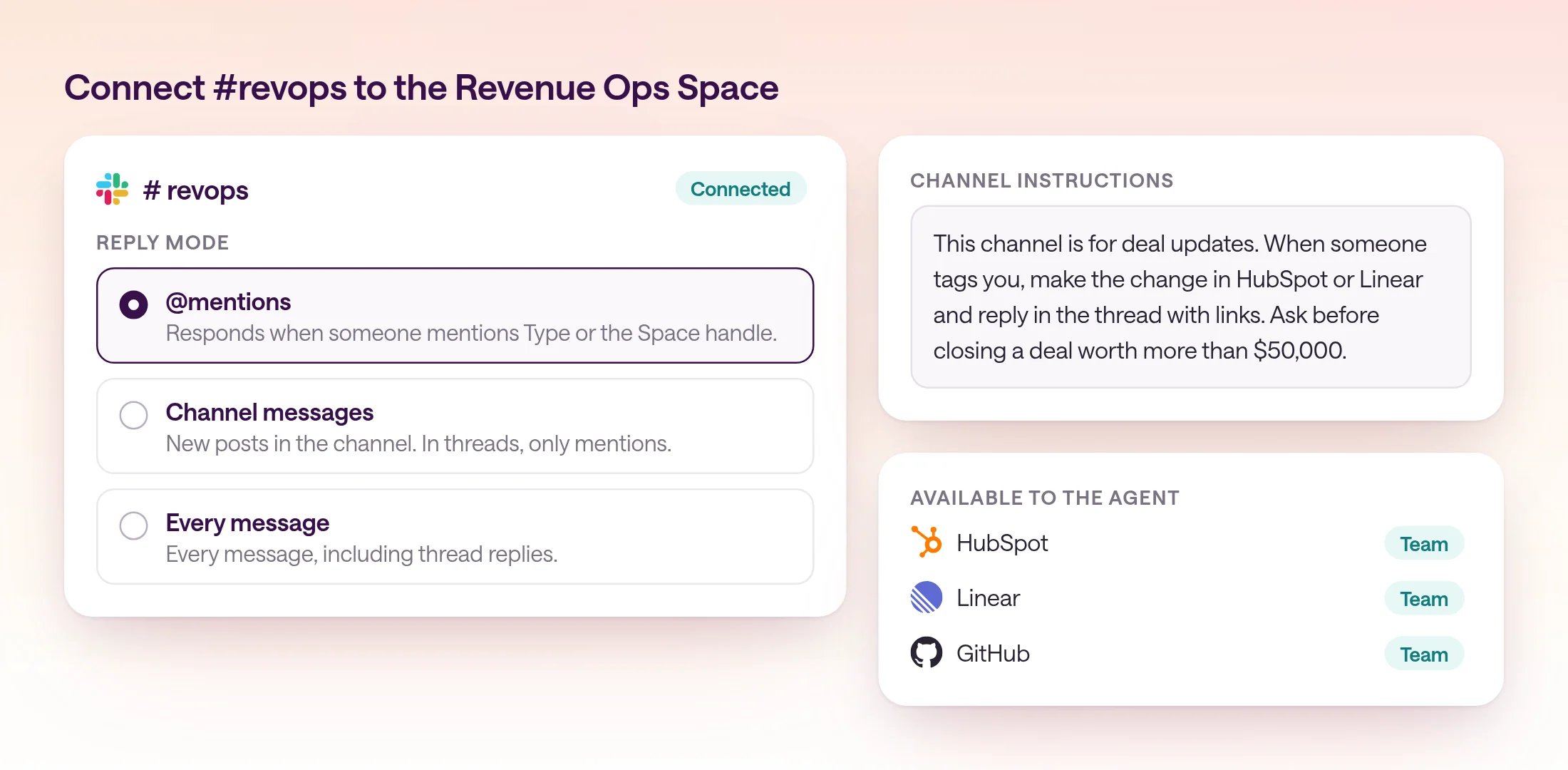
- 1
Connect Slack and the tools the agent needs
Connect Slack in Type.com, and add the connections the agent should use, such as HubSpot and Linear, to the team's Space.
- 2
Connect the Slack channel to the Space
Invite the Type app to the Slack channel and connect it to the Space. Keep the default @mentions reply mode, so the agent responds only when someone tags it.
- 3
Write channel instructions and add skills
Say what the channel is for, which actions the agent may take, and when to ask first. Put rules the team reuses into a skill in the Space Library.
- 4
Test with one real request
Tag @Type with a task someone asked for this week. Check the reply and the tool calls in the Type.com thread, then tell the channel how to use it.
Channel instructions for #revops
This channel is for deal updates. When someone tags you, make the change in HubSpot or Linear and reply in the thread with links to what you changed. Follow the deal-hygiene skill for stage names and required fields. Ask before closing a deal worth more than $50,000.
When are Claude Tag or @ChatGPT enough?
Claude Tag or @ChatGPT fits a company that has standardized on one of those plans and mostly wants answers in Slack. Type.com fits a team that wants the agent to act in its tools with shared skills, on Claude or Codex, and to run the same work on a schedule.
If everyone already has Claude Team or Enterprise and the work stays within the tools an admin connects to Claude, Claude Tag is a natural first step. The same goes for @ChatGPT on ChatGPT Business or Enterprise.
Type.com fits when the agent is part of how the team works: the same skills and connections in Slack and in Type.com, a choice of Claude or Codex, and recurring requests that become scheduled automations. Teammates can also connect their own Claude or Codex subscriptions. Every plan starts with a 14-day free trial for the whole team.
Frequently asked questions
How do I get an AI agent to do a task when someone on my team tags it in Slack?
Add an AI agent app to Slack, invite it to the channel, and have people mention it with the task. Type.com does this for any team: connect a Slack channel to a Type.com Space, and when someone mentions @Type, a managed Claude or Codex agent does the task with the Space's shared connections and skills and replies in the thread. Anthropic's Claude Tag and OpenAI's @ChatGPT also answer mentions on their Team, Business, and Enterprise plans.
Can the agent act in other tools from Slack?
Yes. A Type.com agent uses the connections and skills of its Space, so a Slack mention can update a CRM record, open a Linear issue, or check a GitHub pull request, then reply in the thread with what it did.
Who can tag the agent?
Anyone in a Slack channel the Type app is in. Responses in a connected channel use the effective permissions of the person who triggered them, so connecting a channel doesn't give anyone broader access.
Does the agent see private channels?
Only the channels the Type app has been invited to. Slack sends Type.com events only from channels the app is in.
Is Claude Tag the same as Claude in Slack?
Claude Tag replaces the earlier Claude in Slack app for Team and Enterprise plans. It is in public beta, and the legacy channel bot stopped responding in channels on October 5, 2026.
Can teammates follow up without tagging the agent again?
Yes. In a thread where Type was mentioned or wrote the first message, a teammate can reply without another mention, and Type.com decides whether the reply asks for an answer or an action.