Skills Library
Best AI skills for Google Ads
Twelve ready-to-run skills for daily checks, weekly optimization, monthly reports, and account security.
By Type.com Team
What are the best AI skills for Google Ads?
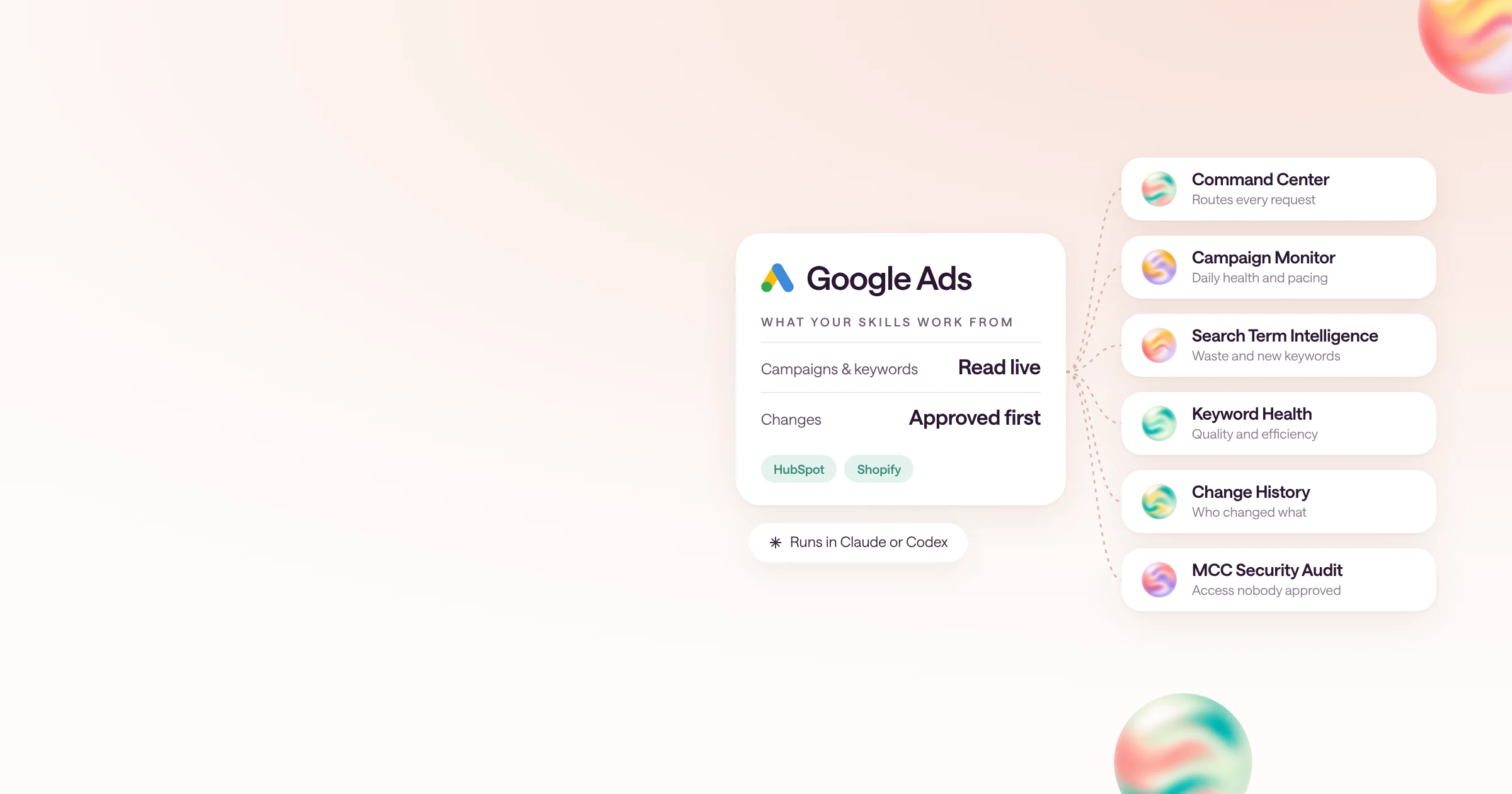
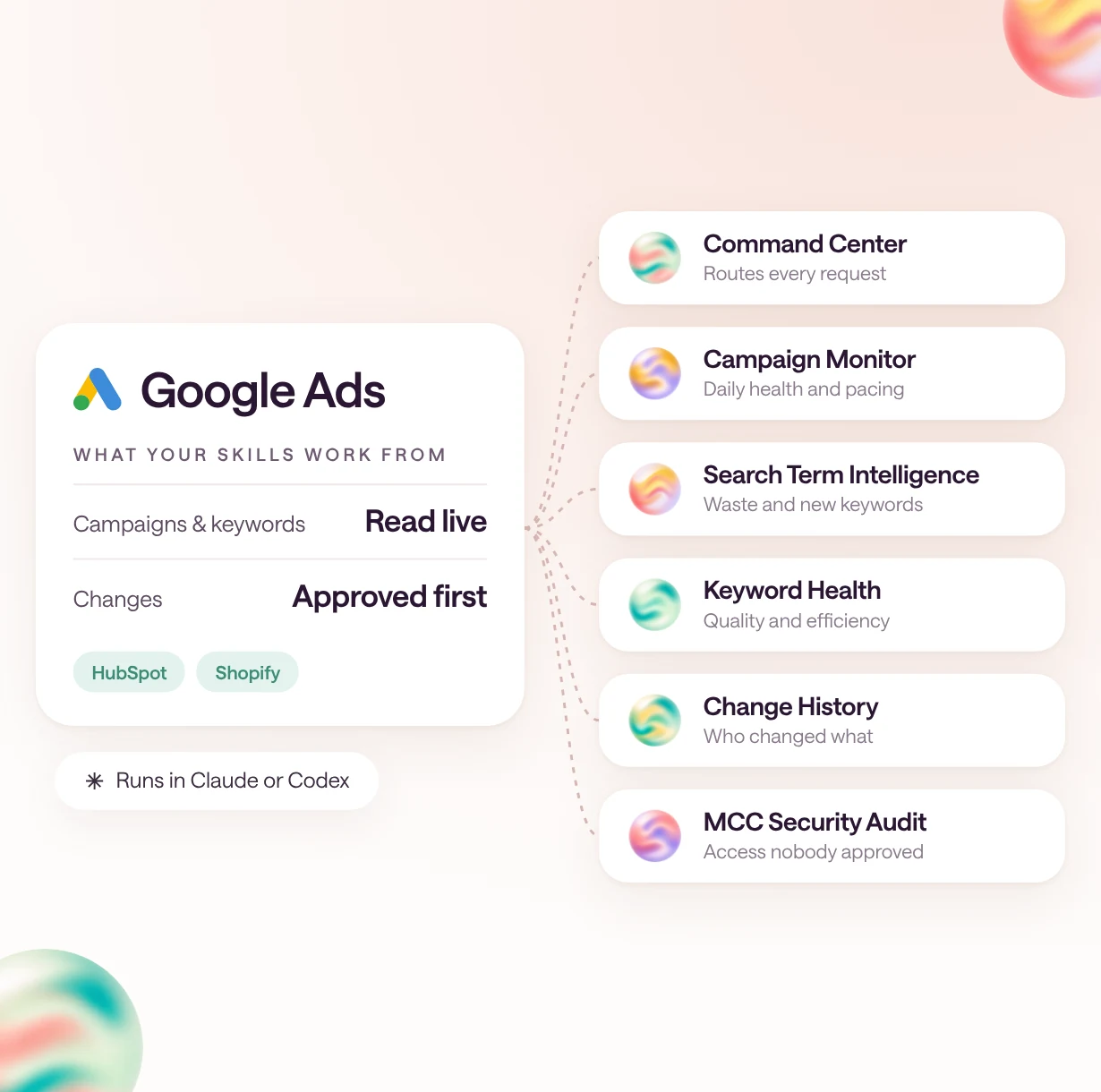
The best AI skills for Google Ads are Command Center and Campaign Monitor for daily work; Search Term Intelligence, Keyword Health, Ad Copy Performance, Geo, Device & Schedule, and Competitive Intelligence for optimization; Monthly Executive Summary and Pipeline Report for reporting; and Change History, MCC Security Audit, and BFCM Tracking & Attribution Preflight for account safety and tracking.
Most Google Ads work is the same handful of reviews repeated every day, week, and month. These skills make each one consistent: they read the account, compare it against targets you set, and hand back a short review with proposed changes clearly separated from anything that was actually done.
Type.com built nine of them as one system that shares a single set of business rules, plus a seasonal tracking check for Black Friday. Google Ads Change History and MCC Security Audit are adapted from Kurt Henninger's open-source PPC skills for agencies.
Browse them in the Type.com Skills Library, or read how Google Ads works in Type.com.
| Skill | Best for | What you get |
|---|---|---|
| Google Ads Command Center | Paid search leads who want one entry point for every Google Ads request | The right specialist skill for the request, the sources it should use, and what may be changed versus only recommended |
| Google Ads Campaign Monitor | A daily account health sweep, before anyone opens the dashboard | A short alert digest: pacing against plan, meaningful metric changes, anomalies, and search terms worth a look |
| Google Ads Search Term Intelligence | A weekly search query review | Waste, new keyword opportunities, intent themes, and draft negative keywords for review |
| Google Ads Keyword Health | Weekly keyword reviews and quality score diagnosis | Keywords that need attention, why, and the changes your bidding setup actually supports |
| Google Ads Ad Copy Performance | Biweekly responsive search ad reviews and copy refreshes | Weak and fatigued assets, policy issues, and draft headline and description tests |
| Google Ads Geo, Device & Schedule | Biweekly location, device, and ad schedule reviews | Segment opportunities with enough data behind them, and the bid adjustments, exclusions, or schedule changes they support |
| Google Ads Competitive Intelligence | Weekly auction and share-of-voice reviews | Competitor movement, share changes, and defensive opportunities, with what the data can and can't show |
| Google Ads Monthly Executive Summary | Monthly leadership updates and budget planning | A draft month-over-month summary with KPIs, risks, and proposed decisions, not sent |
| Google Ads Pipeline Report | B2B teams that judge paid search on pipeline, not form fills | Spend tied to qualified leads, open pipeline, and closed-won value, with join coverage shown |
| Google Ads Change History | Account leads answering "who changed this?" for a client, up to 90 days back | A timeline grouped by day and user, with budget, bid, status, and setting changes highlighted and a draft client reply |
| MCC Security Audit | Agencies that manage many client accounts under one manager (MCC) | A severity-ranked list of unexpected manager links, unknown or over-privileged users, pending invitations, and unmapped accounts |
| BFCM Tracking & Attribution Preflight | Ecommerce brands, in the weeks before Black Friday | A READY, FIX BEFORE BFCM, or NOT READY verdict with a dated fix list |
Which Google Ads skills should a paid search team use?
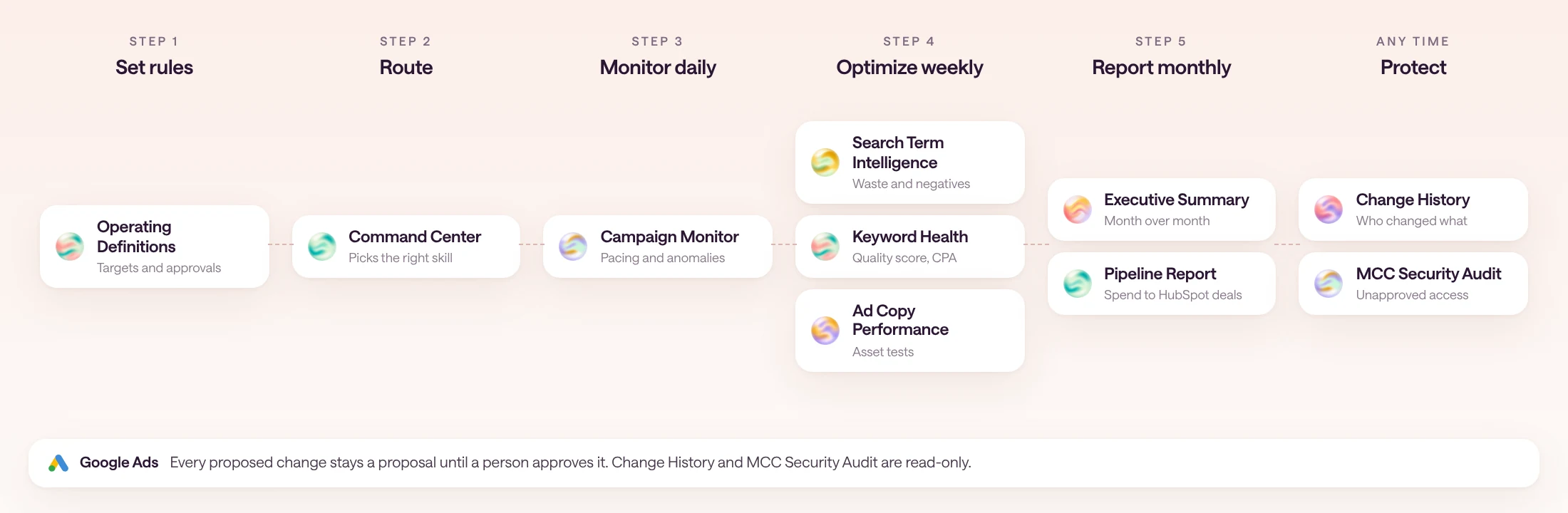
Start with Command Center and the daily monitor, add the weekly optimization skills, then the monthly reports. Agencies should add Change History and MCC Security Audit.
Command Center is the front door: ask it a broad question and it hands the work to the specialist that owns it. Campaign Monitor runs daily. Search Term Intelligence, Keyword Health, Ad Copy Performance, Geo, Device & Schedule, and Competitive Intelligence are weekly or biweekly reviews. Monthly Executive Summary and Pipeline Report close the month.
Change History and MCC Security Audit stand on their own and are read-only, so they are safe to run on any client account. BFCM Tracking & Attribution Preflight is a seasonal check for ecommerce brands that run Google Ads alongside Meta and TikTok.
1. Google Ads Command Center
Google Ads Command Center routes Google Ads work across monitoring, optimization, and reporting, and keeps every workflow on the same approved targets and change rules.
A broad request like "review paid search" can mean ten different jobs. This skill decides which specialist owns the work, loads your business's approved definitions first, and marks any metric it can't compute, such as attributed ROAS without an agreed attribution window, as unavailable instead of guessing.
- Best for
- Paid search leads who want one entry point for every Google Ads request
- Works from
- Your connected Google Ads account, analytics and CRM tools, and your approved operating definitions
- You get
- The right specialist skill for the request, the sources it should use, and what may be changed versus only recommended
2. Google Ads Campaign Monitor
Google Ads Campaign Monitor reviews campaign health, budget pacing, and anomalies against the targets you supplied, and turns them into a short daily digest.
Daily checks either drown the team in normal variance or miss the overspend until month end. This skill compares spend, conversions, cost per conversion, and impression share across periods, and only calls something a breach when you have set the threshold it would breach.
- Best for
- A daily account health sweep, before anyone opens the dashboard
- Works from
- Yesterday, last 7 days, month to date, and prior periods from Google Ads, plus your budgets and targets
- You get
- A short alert digest: pacing against plan, meaningful metric changes, anomalies, and search terms worth a look
3. Google Ads Search Term Intelligence
Google Ads Search Term Intelligence turns search query evidence into reviewable keyword and negative keyword recommendations.
Search terms are where most paid search waste hides, but an over-eager negative can block your own brand. The skill keeps raw queries, groups variants for analysis, checks exact negative text and match behavior before drafting, and protects campaigns you have marked off limits.
- Best for
- A weekly search query review
- Works from
- Search term performance for the last 7, 30, and 90 days, with campaign scope and match types
- You get
- Waste, new keyword opportunities, intent themes, and draft negative keywords for review
4. Google Ads Keyword Health
Google Ads Keyword Health diagnoses keyword quality and efficiency using your goals, evidence thresholds, and bidding constraints.
A keyword over target CPA is not automatically a pause candidate. This skill checks whether there is enough conversion evidence, whether automated bidding makes a manual bid cut meaningless, and whether the landing page or conversion lag is the real problem.
- Best for
- Weekly keyword reviews and quality score diagnosis
- Works from
- Keyword performance, quality score components, conversion quality, and your bidding strategy
- You get
- Keywords that need attention, why, and the changes your bidding setup actually supports
5. Google Ads Ad Copy Performance
Google Ads Ad Copy Performance reviews responsive search ads and drafts evidence-backed copy tests within your brand rules.
Asset labels like "Low" are signals, not proof that a headline is losing money. The skill treats them that way, keeps pinned legal or brand headlines protected, and checks claims and character limits before a draft goes anywhere near the account.
- Best for
- Biweekly responsive search ad reviews and copy refreshes
- Works from
- Responsive search ad and asset performance, policy status, and your brand and legal rules
- You get
- Weak and fatigued assets, policy issues, and draft headline and description tests
6. Google Ads Geo, Device & Schedule
Google Ads Geo, Device & Schedule finds supported location, device, and schedule opportunities without overfitting small segments.
Slicing an account by state, device, and hour produces plenty of tiny segments that look like wins. This skill only recommends a change when a segment clears the evidence threshold you set, and flags when automated bidding already handles the adjustment.
- Best for
- Biweekly location, device, and ad schedule reviews
- Works from
- Performance by location, device, day of week, and hour, with your evidence threshold
- You get
- Segment opportunities with enough data behind them, and the bid adjustments, exclusions, or schedule changes they support
7. Google Ads Competitive Intelligence
Google Ads Competitive Intelligence interprets auction evidence and competitor movement without inventing competitor budgets.
Rising overlap with a competitor is easy to over-read as a new campaign or a bigger budget. This skill reports what auction insights actually show and holds budget recommendations until your targets and conversion quality have been checked.
- Best for
- Weekly auction and share-of-voice reviews
- Works from
- Auction insights, impression share trends, overlap, and outranking share
- You get
- Competitor movement, share changes, and defensive opportunities, with what the data can and can't show
8. Google Ads Monthly Executive Summary
Google Ads Monthly Executive Summary explains the month's Google Ads outcomes, risks, and proposed decisions using your reporting definitions.
Leadership reads the monthly summary as the truth, so a wrong revenue claim travels far. This skill uses your approved definitions, defers recommendations that depend on a target nobody has set, and leaves out closed-revenue and CAC claims when the CRM feed is incomplete.
- Best for
- Monthly leadership updates and budget planning
- Works from
- The month's Google Ads results against the prior month, budget pacing, landing page findings, and pipeline context
- You get
- A draft month-over-month summary with KPIs, risks, and proposed decisions, not sent
9. Google Ads Pipeline Report
Google Ads Pipeline Report connects Google Ads spend to CRM outcomes and shows how much of the data actually joined.
Pipeline reports usually hide the leads that never matched a CRM record. This skill reports join coverage, keeps unmatched leads visible instead of extrapolating revenue to them, separates pipeline from recognized revenue, and leaves CAC blank until customer identity is agreed.
- Best for
- B2B teams that judge paid search on pipeline, not form fills
- Works from
- Google Ads spend and leads joined to HubSpot deals, stages, and closed revenue
- You get
- Spend tied to qualified leads, open pipeline, and closed-won value, with join coverage shown
10. Google Ads Change History
Google Ads Change History answers what changed on a Google Ads account and who changed it, as a read-only timeline with a draft escalation summary.
When a client asks why their budget dropped, digging through change history one screen at a time takes an hour. This skill shows old and new values for every change, separates people from Google's own automation, such as auto-applied recommendations, and never edits anything.
- Best for
- Account leads answering "who changed this?" for a client, up to 90 days back
- Works from
- Read-only access to the client's Google Ads change history through the Google Ads API
- You get
- A timeline grouped by day and user, with budget, bid, status, and setting changes highlighted and a draft client reply
11. MCC Security Audit
MCC Security Audit scans an agency's Google Ads manager account tree for access nobody approved and ranks each finding by severity with exact account IDs.
Google Ads shows access one account at a time, while attackers who phish a client admin work across many. This skill was built after a real incident with hostile manager links, reads every account in one pass, and only recommends manual fixes. It never removes a link or contacts a client.
- Best for
- Agencies that manage many client accounts under one manager (MCC)
- Works from
- Read-only access to every account under your login manager, plus your client list
- You get
- A severity-ranked list of unexpected manager links, unknown or over-privileged users, pending invitations, and unmapped accounts
12. BFCM Tracking & Attribution Preflight
BFCM Tracking & Attribution Preflight checks your Google Ads, Meta, and TikTok purchase tracking and UTMs against Shopify before Black Friday.
If Google Ads reports a higher value per purchase than Shopify actually books, budget decisions during the busiest week rest on the wrong number. This skill finds value gaps, zero-event days, and untagged clicks while there is still time to collect two weeks of clean data.
- Best for
- Ecommerce brands, in the weeks before Black Friday
- Works from
- 28 days of Google Ads, Meta, and TikTok conversion data, Shopify orders, and UTMs, as CSV exports
- You get
- A READY, FIX BEFORE BFCM, or NOT READY verdict with a dated fix list
How do these skills stay grounded in your targets?
The skills use your targets, not template defaults, and never treat a recommendation as permission to change the account.
The nine core skills, from Command Center to Pipeline Report, start by reading Paid Media Operating Definitions: your accounts, targets, budgets, conversion events, attribution window, evidence thresholds, and who may approve which changes. You fill it in once, and every workflow cites the same version, so the daily monitor and the monthly summary never disagree about what a good CPA is.
When a choice is missing, the skill asks only about that decision and carries on with everything else. A missing target blocks target comparisons, not raw spend reporting. Missing change authority blocks changes, not drafting recommendations.
- Targets, thresholds, and attribution windows come from your approved definitions.
- Missing inputs are named, and dependent numbers are marked unavailable instead of guessed.
- Proposed changes are kept separate from anything actually applied.
- An approved change is checked against current values first, then read back.
How do agencies use Google Ads skills?
Agencies can answer client questions about account changes in minutes, and check every client account for access nobody approved in one pass.
Google Ads Change History pulls up to 90 days of changes for a client and groups them by day and by user. It highlights budget, bid, status, and setting changes with old and new values, separates people from Google's automation, and drafts a reply for the client. A portfolio view covers every client at once.
MCC Security Audit walks every account under your manager account, reads manager links, users, and open invitations, maps each account to a client, and ranks findings from CRITICAL to INFO. Both skills only run read-only queries, and every fix they suggest is a manual step that needs approval naming the client and the change.
Example request
What changed on Harbor & Vine's Google Ads account in the last 30 days, and who changed it? Draft a reply I can send the client.
How often should each Google Ads skill run?
Run the daily, weekly, and monthly skills on a schedule in Type.com, and the team only reviews the output.
Each skill fits a natural cadence. Scheduled runs post to the channel where the paid search team already works, so the review happens in one place and nobody has to remember to run the report.
- 1
Set your rules once
Install the Google & Meta Ads skillset and fill in Paid Media Operating Definitions with your accounts, targets, and change rules.
- 2
Schedule the daily check
Run Campaign Monitor every morning and post the digest to your paid search channel.
- 3
Add weekly reviews
Run Search Term Intelligence and Keyword Health weekly, and Ad Copy Performance and Geo, Device & Schedule every other week.
- 4
Close the month
Run Monthly Executive Summary and Pipeline Report on the first business day of the month, review the drafts, then share them.
How do teams run Google Ads skills in Type.com?
In Type.com, a team connects Google Ads to a shared Space, installs the skills once, and runs them from chat or on a schedule.
Install the skills from the library into your marketing Space, and everyone who touches the account gets the same reviews, the same targets, and the same approval rules. Ask Command Center a question in chat, or let the monitor and monthly reports run on their own.
See how Google Ads connects to Type.com, or install the whole Google & Meta Ads skillset.
Frequently asked questions
What is an AI skill for Google Ads?
An AI skill is a packaged set of instructions, sometimes with scripts and reference files, that Claude or Codex follows the same way every time. A Google Ads skill reads your Google Ads data, through a connected account or an export, and turns it into a review, a report, or a draft change.
Will these skills change my Google Ads account?
No, not on their own. Each skill separates analysis and proposed changes from changes you have actually authorized. Google Ads Change History, MCC Security Audit, and BFCM Tracking & Attribution Preflight are read-only and never change the account. For the others, a recommendation is not permission: a change needs your approval for that exact scope, and the skill reads the result back afterwards.
Whose targets and rules do the skills use?
Your own. The nine core Google Ads skills built by Type.com read Paid Media Operating Definitions first, a shared document of your targets, budgets, conversion events, evidence thresholds, and who may approve changes. Templates and examples are never treated as your policy. If a target is missing, the skill asks for it and marks dependent numbers unavailable.
Do these skills work for agencies managing many clients?
Yes. Google Ads Change History works per client profile and gives a portfolio view labeled by client, and MCC Security Audit is built for agencies with many client accounts under one manager. The Google & Meta Ads skillset installs the shared definitions and the Google and Meta Ads skills together.
Which integrations do these skills need?
Google Ads data for all twelve, through a connected account or approved exports. Google Ads Pipeline Report also needs HubSpot for deals and revenue. BFCM Tracking & Attribution Preflight runs on CSV exports from Shopify and each ad platform, with no API keys.
Do these skills work outside Type.com?
Yes. They are plain SKILL.md folders, so they run in Claude Code, Codex, and other agents that read SKILL.md, as long as the agent can reach your Google Ads data or the exports the skill asks for.